UI - Custom Root Path
Use this when you want to serve LiteLLM on a custom base url path like https://localhost:4000/api/v1
The proxy rewrites the UI files at startup to use the custom path, so the UI directory must be writable. Non-root images copy the UI to /var/lib/litellm/ui, which the runtime user owns, so this works there out of the box. On a read-only root filesystem, point LITELLM_UI_PATH at a writable volume (e.g. a Kubernetes emptyDir), otherwise the proxy logs Cannot apply server_root_path replacements and the UI assets fail to load under the custom path
Usage
1. Set SERVER_ROOT_PATH in your .env
Set SERVER_ROOT_PATH in your .env and this will be set as your server root path
export SERVER_ROOT_PATH="/api/v1"
2. Run the Proxy
litellm proxy --config /path/to/config.yaml
After running the proxy you can access it on http://0.0.0.0:4000/api/v1/ (since we set SERVER_ROOT_PATH="/api/v1")
3. Verify Running on correct path
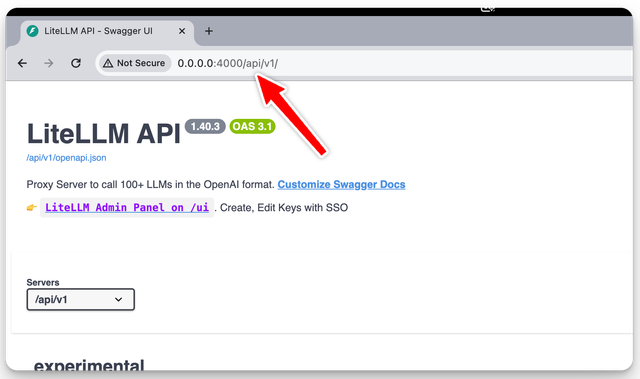
That's it, that's all you need to run the proxy on a custom root path
Demo
Here's a demo video of running the proxy on a custom root path

