Control Page Visibility for Internal Users
Configure which navigation tabs and pages are visible to internal users (non-admin developers) in the LiteLLM UI.
Use this feature to simplify the UI and control which pages your internal users/developers can see when signing in.
Overview
By default, all pages accessible to internal users are visible in the navigation sidebar. The page visibility control allows admins to restrict which pages internal users can see, creating a more focused and streamlined experience.
Configure Page Visibility
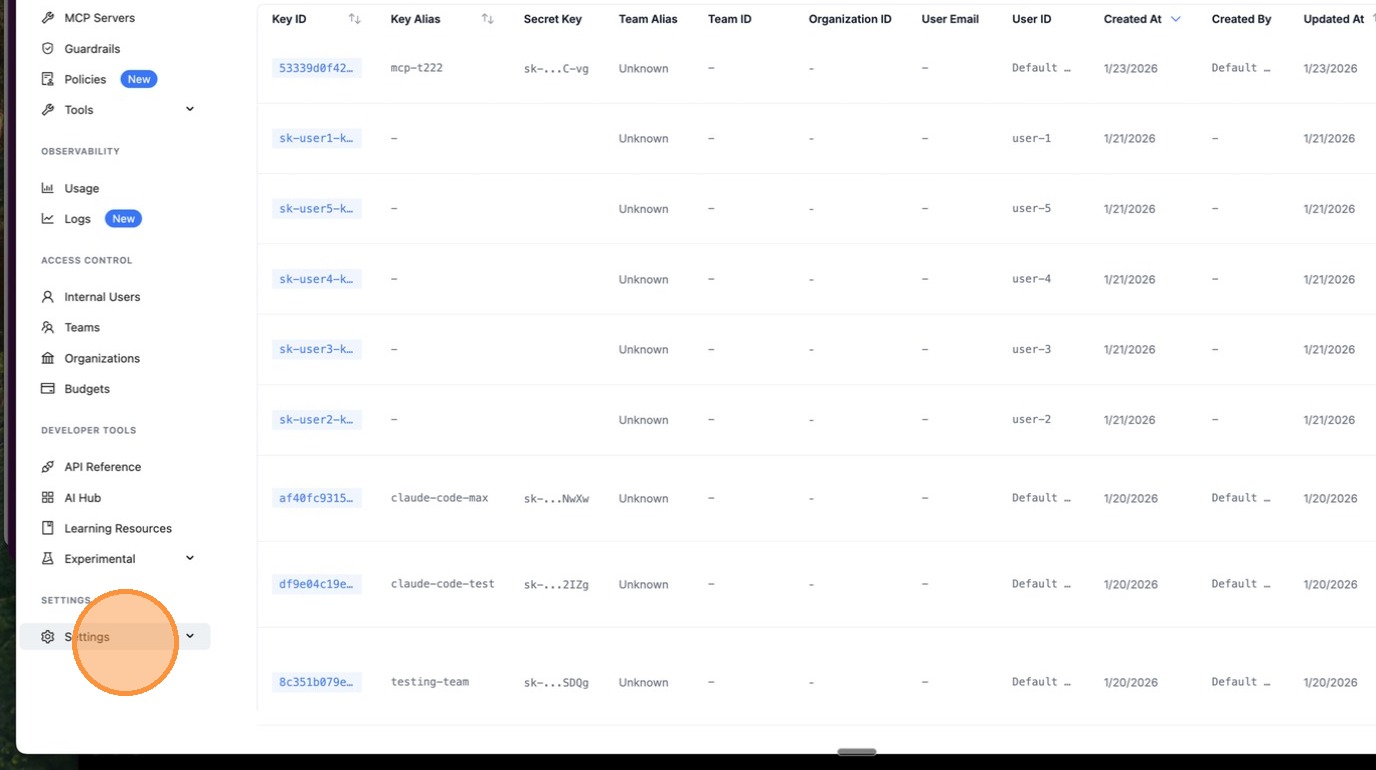
1. Navigate to Settings
Click the Settings icon in the sidebar.
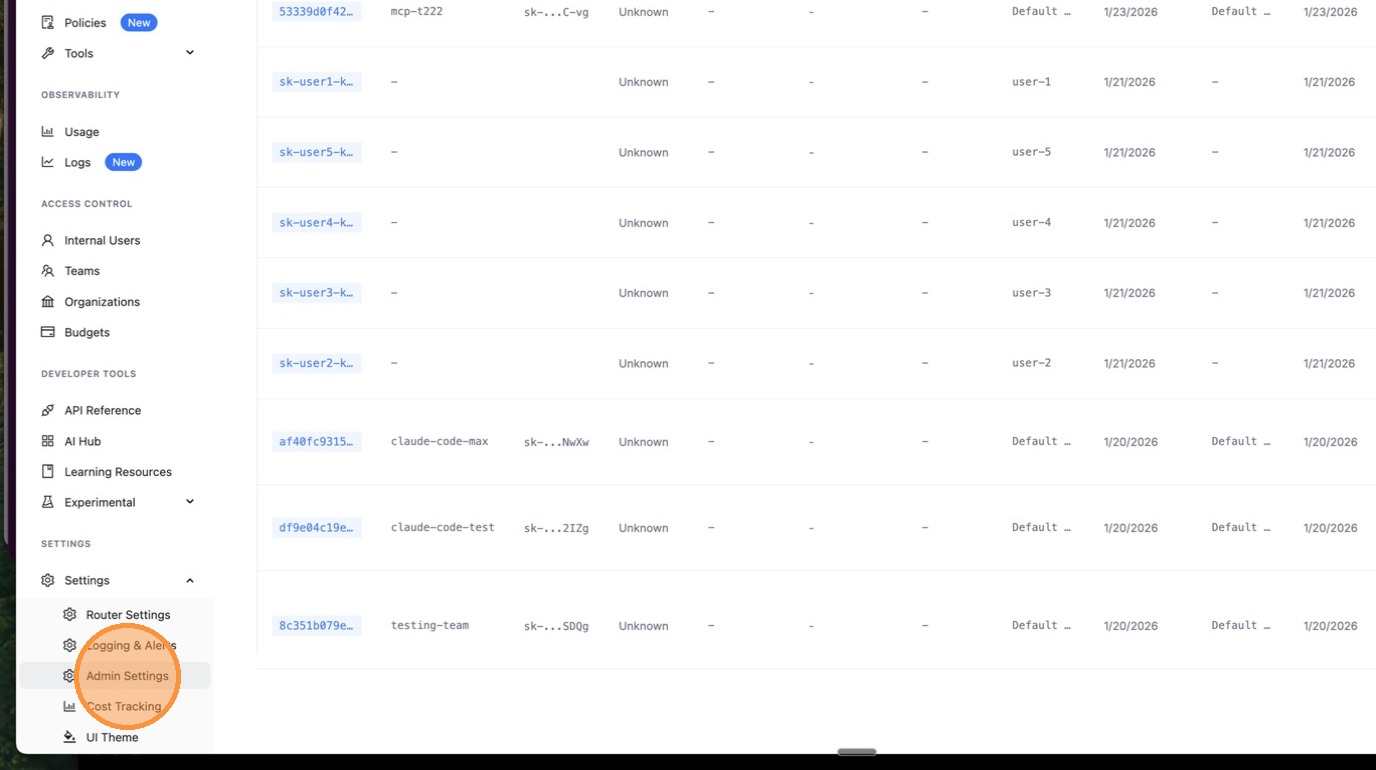
2. Go to Admin Settings
Click Admin Settings from the settings menu.
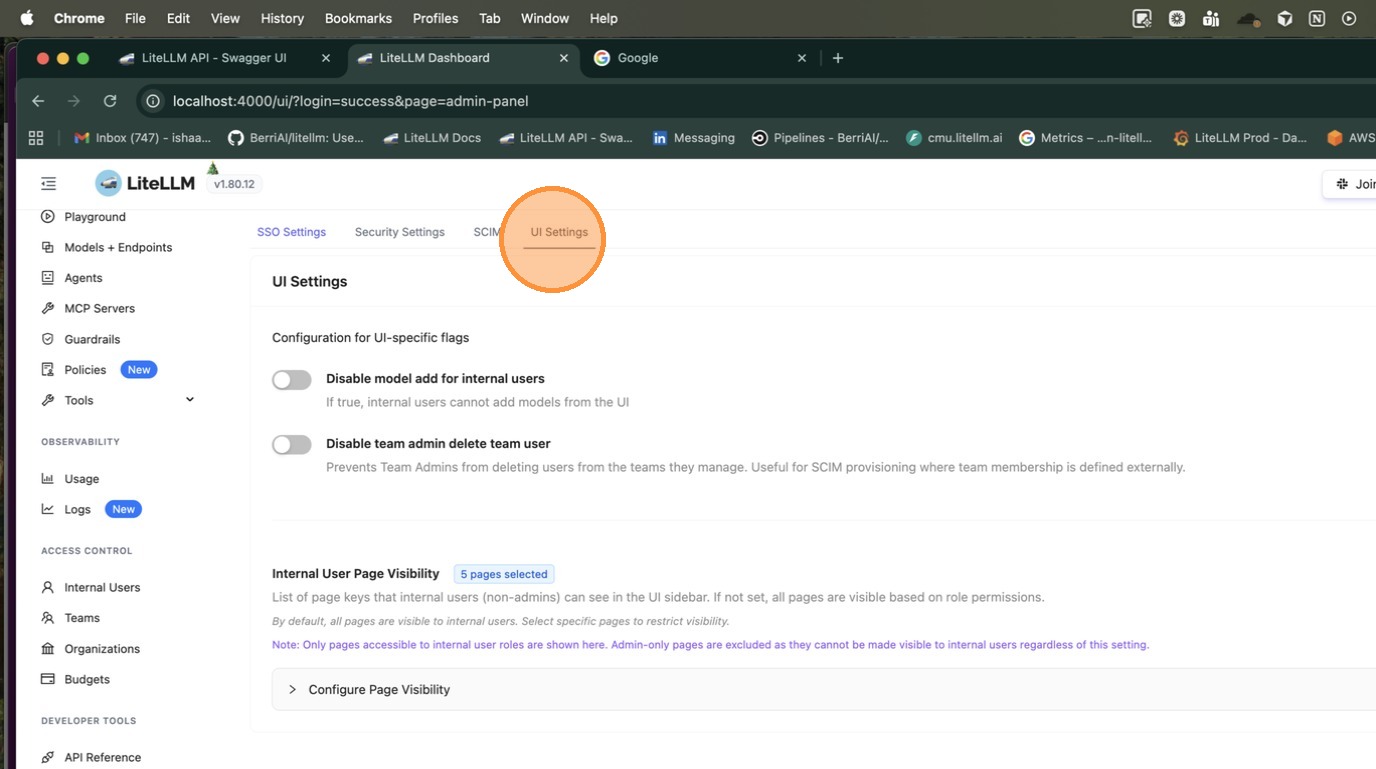
3. Select UI Settings
Click UI Settings to access the page visibility controls.
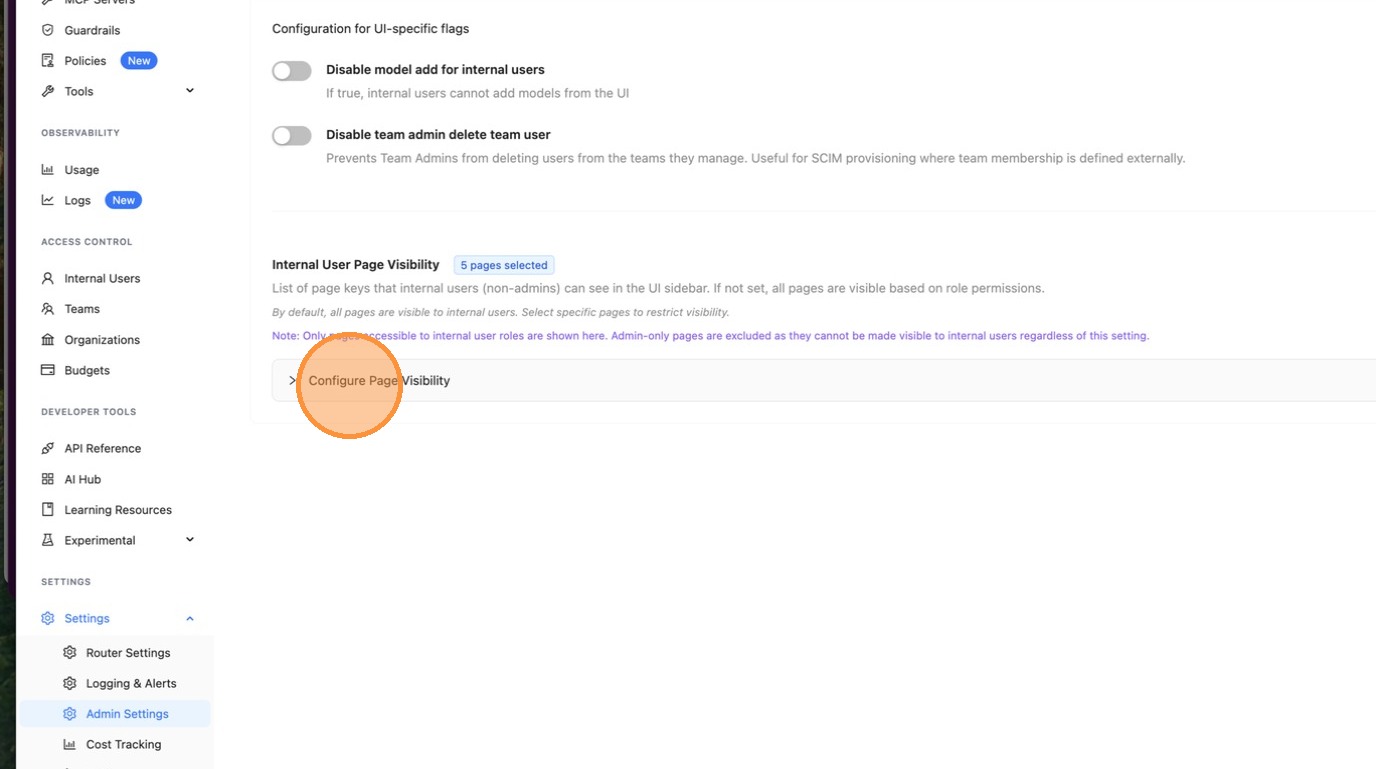
4. Open Page Visibility Configuration
Click Configure Page Visibility to expand the configuration panel.
5. Select Pages to Make Visible
Check the boxes for the pages you want internal users to see. Pages are organized by category for easy navigation.
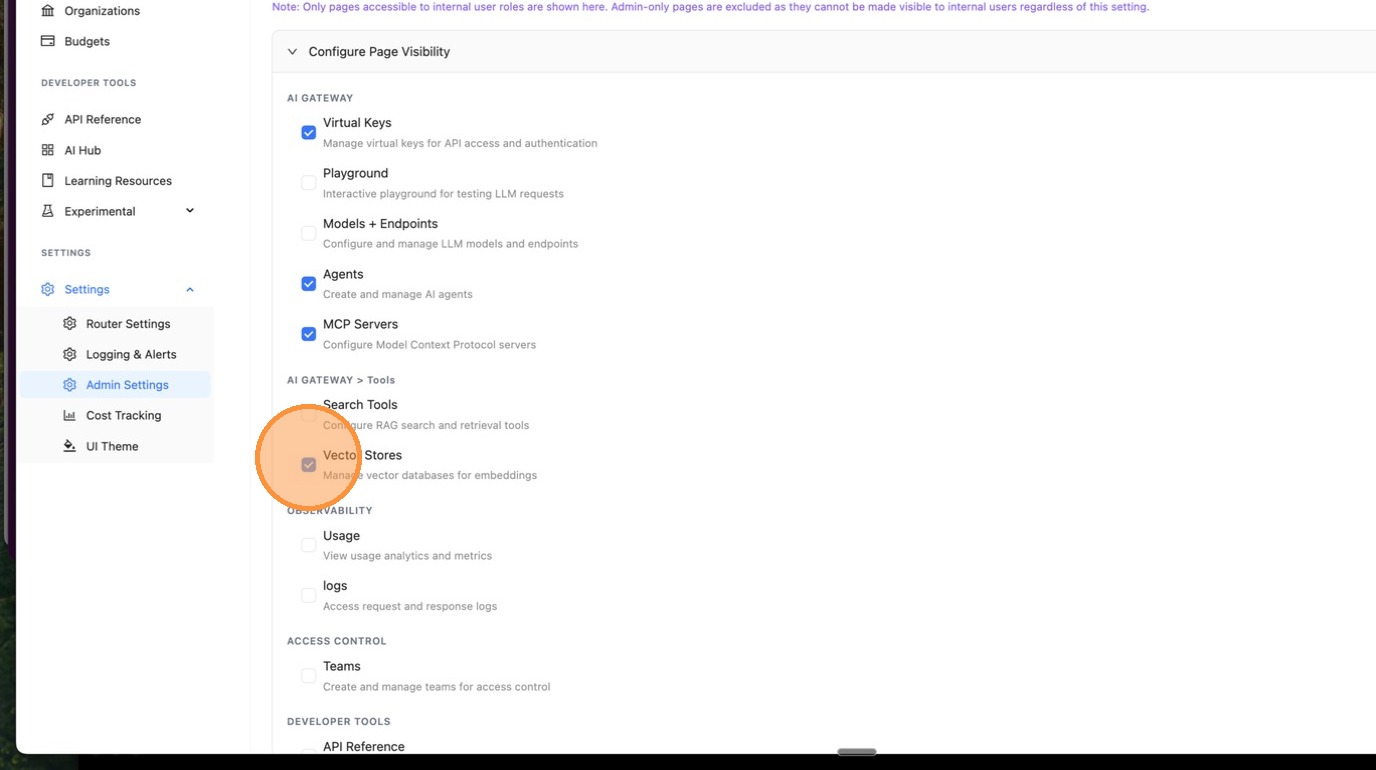
Available pages include:
- Virtual Keys
- Playground
- Models + Endpoints
- Agents
- MCP Servers
- Search Tools
- Vector Stores
- Logs
- Teams
- Organizations
- Usage
- Budgets
- And more...
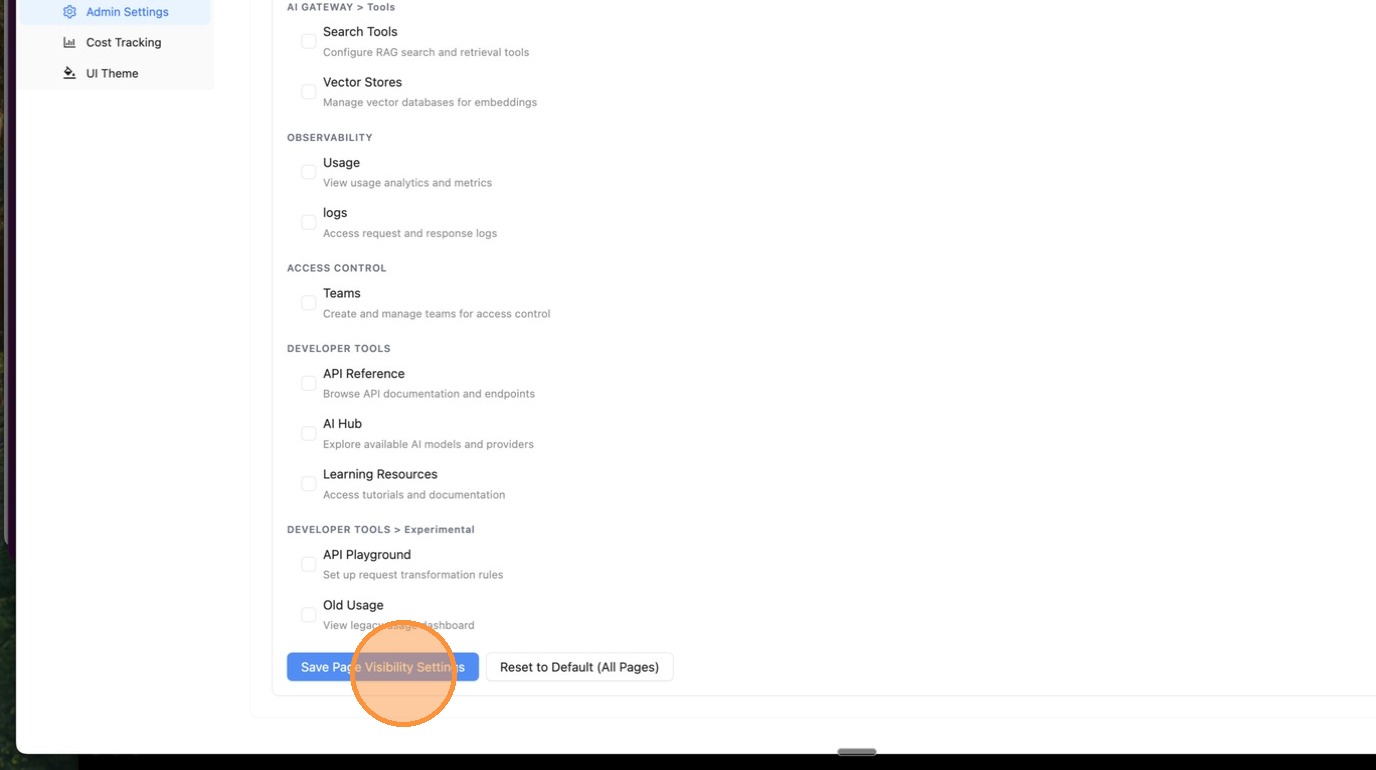
6. Save Your Configuration
Click Save Page Visibility Settings to apply the changes.
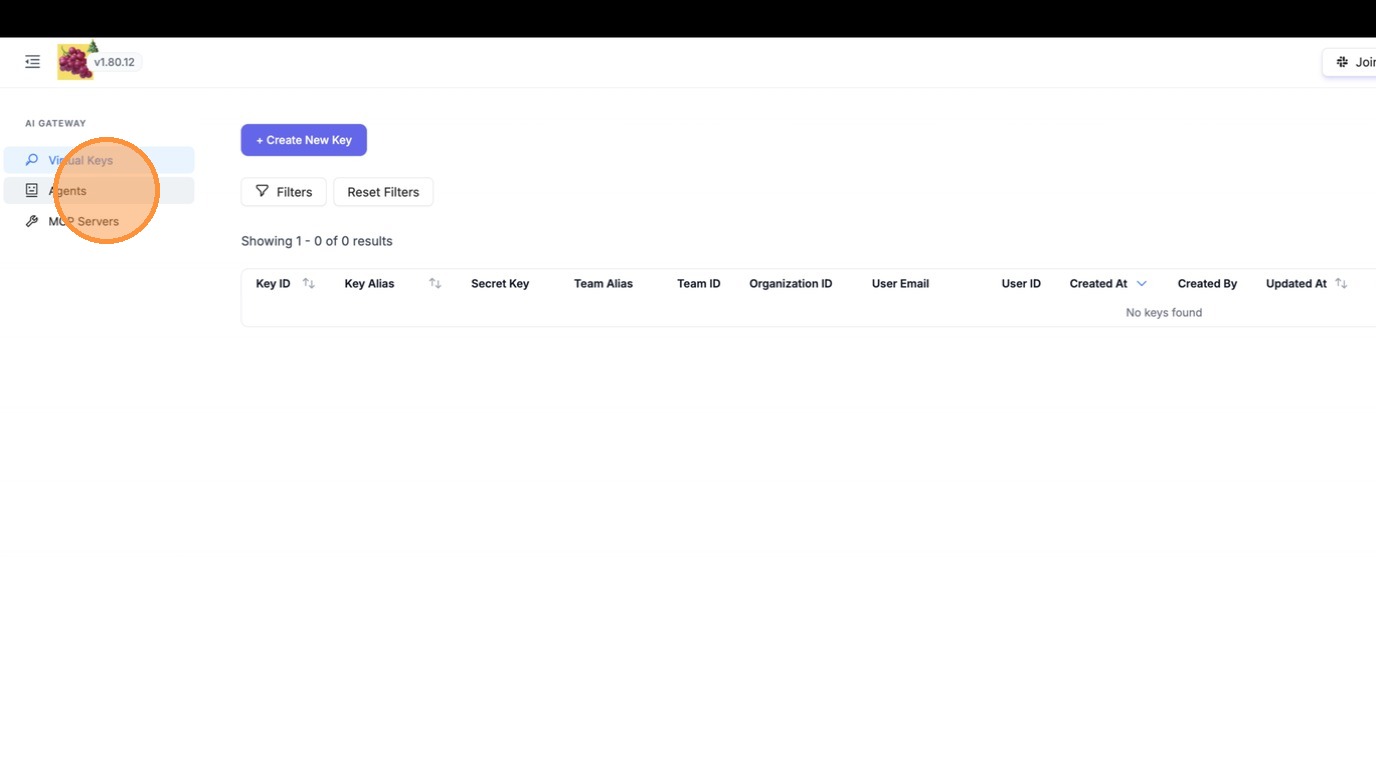
7. Verify Changes
Internal users will now only see the selected pages in their navigation sidebar.
Reset to Default
To restore all pages to internal users:
- Open the Page Visibility configuration
- Click Reset to Default (All Pages)
- Click Save Page Visibility Settings
This will clear the restriction and show all accessible pages to internal users.
API Configuration
You can also configure page visibility programmatically using the API:
Get Current Settings
curl -X GET 'http://localhost:4000/get/ui_settings' \
  -H 'Authorization: Bearer <your-admin-key>'
Update Page Visibility
curl -X PATCH 'http://localhost:4000/update/ui_settings' \
  -H 'Authorization: Bearer <your-admin-key>' \
  -H 'Content-Type: application/json' \
  -d '{
    "enabled_ui_pages_internal_users": [
      "api-keys",
      "agents",
      "mcp-servers",
      "logs",
      "teams"
    ]
  }'
Clear Page Visibility Restrictions
curl -X PATCH 'http://localhost:4000/update/ui_settings' \
  -H 'Authorization: Bearer <your-admin-key>' \
  -H 'Content-Type: application/json' \
  -d '{
    "enabled_ui_pages_internal_users": null
  }'

