Manage Routing Groups
Routing groups let you apply different routing strategies to different models in the same router, for example latency-based routing for gpt-5.6-terra while cheaper models use simple-shuffle. You can manage them from the LiteLLM dashboard without editing your proxy_config.yaml.
For the conceptual overview and full strategy reference, see Routing Groups - Per-Model Strategies.
Click any screenshot below to open the full Scribe walkthrough.
Via the UI
Routing Group Settings
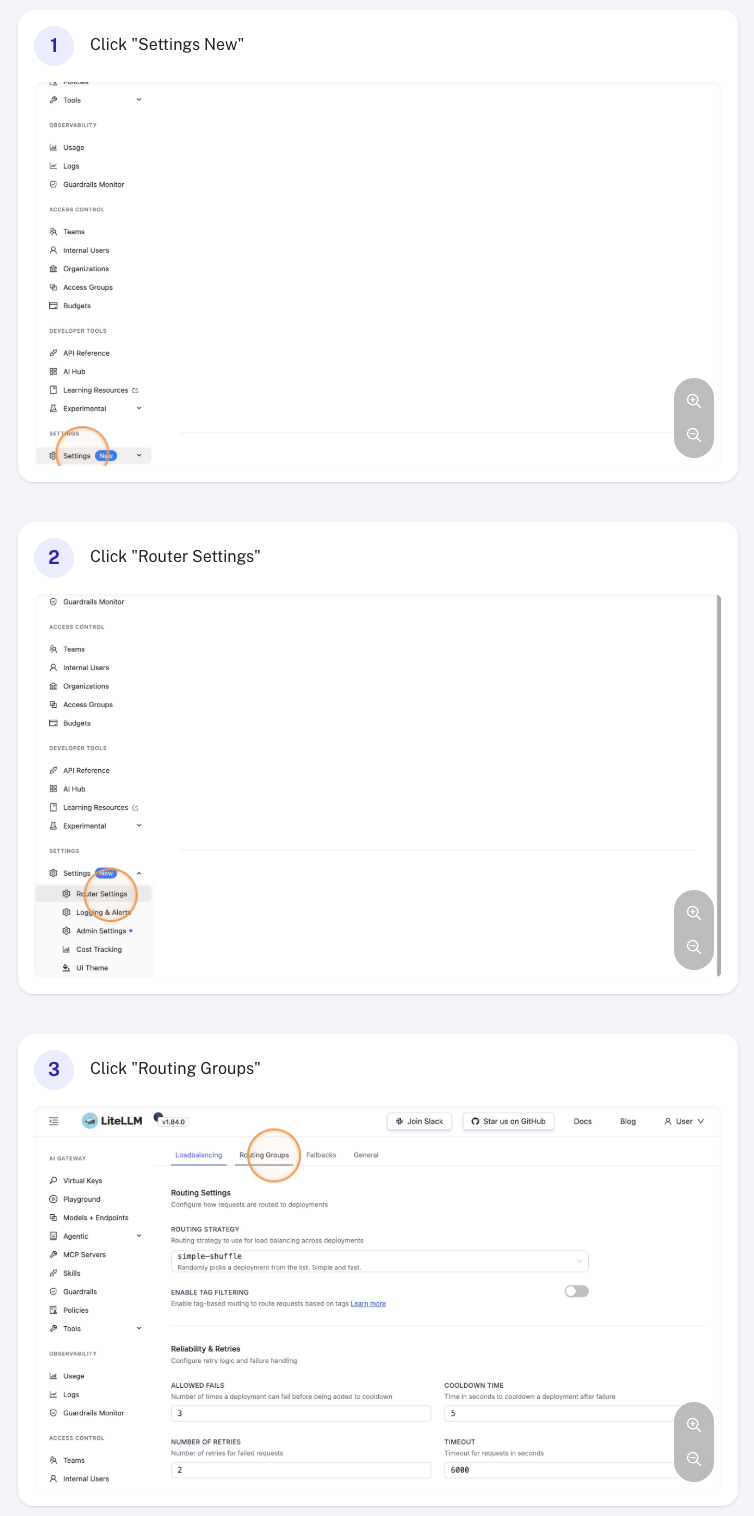
Navigate to General Settings in the sidebar and select the Routing Groups section.
Create a Routing Group
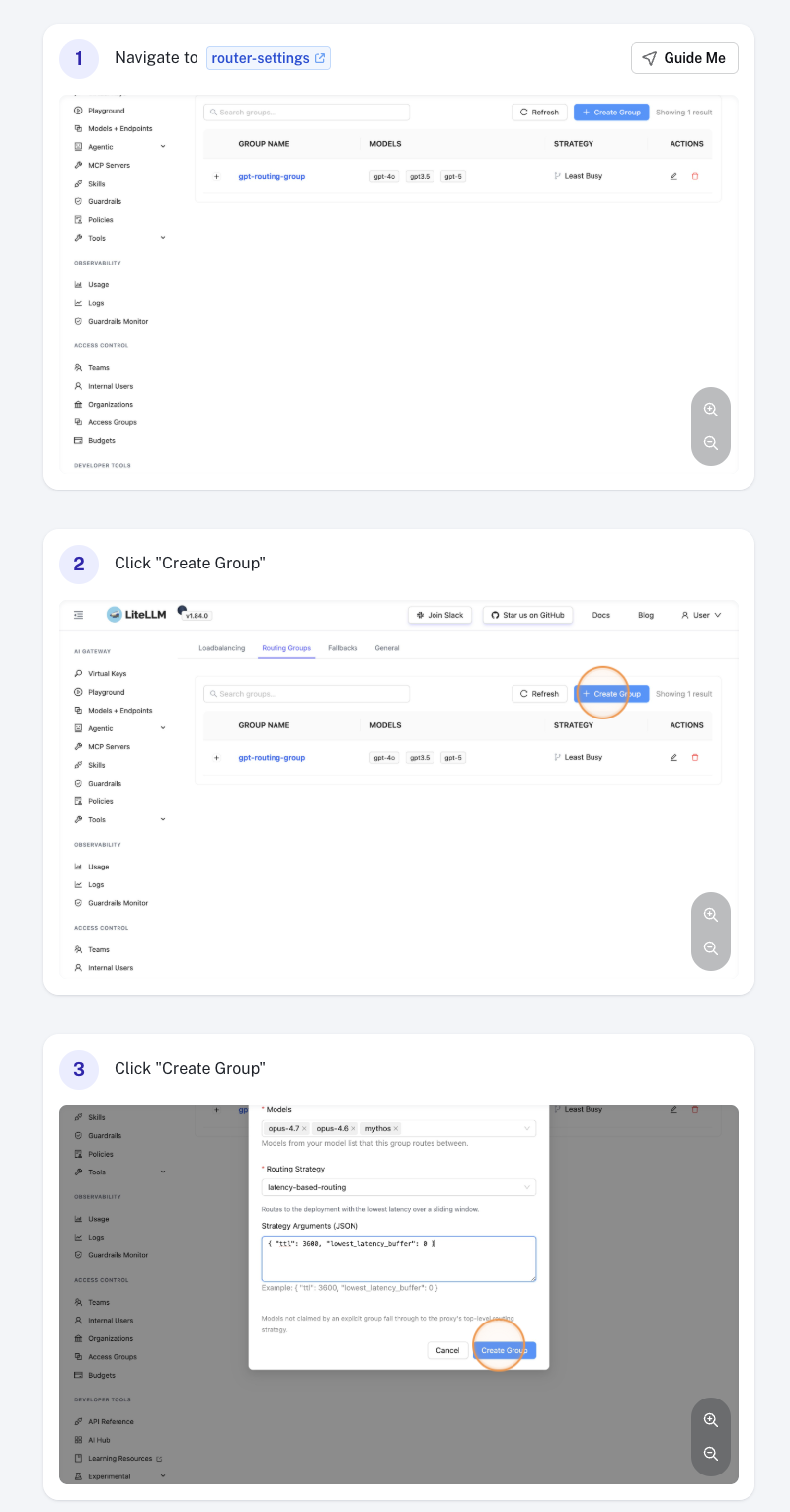
Click Add Routing Group, then fill in:
- Group name — a unique identifier (e.g.
anthropic-latency). The namedefaultis reserved. - Models — one or more
model_names from your model list. Each model may belong to at most one group. - Routing strategy — the strategy to apply to this group (e.g.
latency-based-routing,usage-based-routing-v2,simple-shuffle). - Routing strategy args (optional): strategy-specific overrides such as
ttl,rpm, ortpm.
Click Save to create the group.
Edit a Routing Group
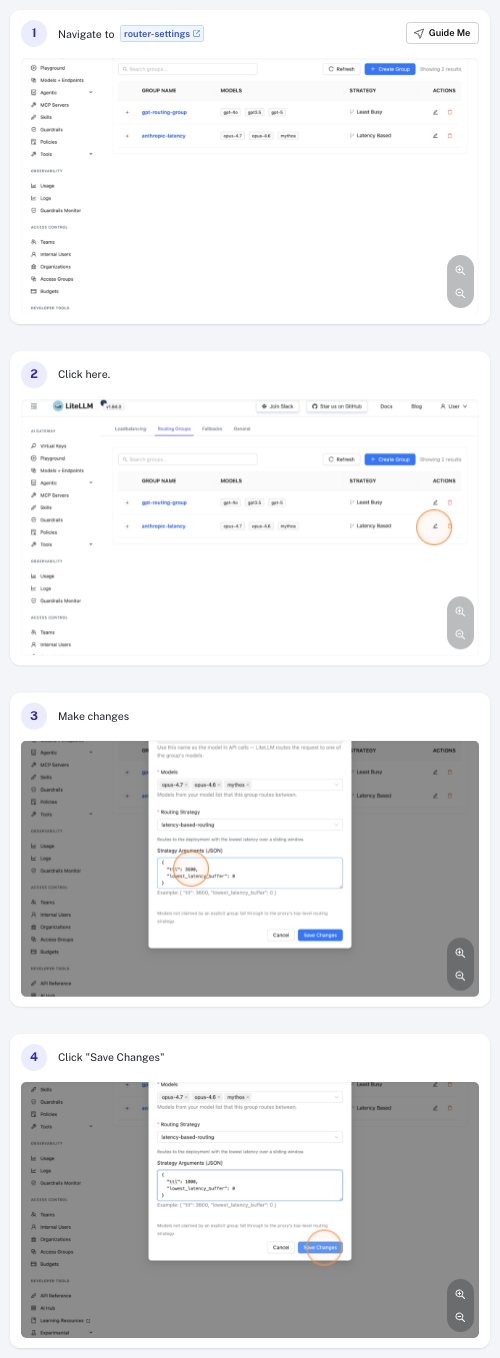
Click the group row in the table to open it, then update any field. For example, change the ttl under Routing strategy args to tune how quickly the strategy reacts to latency changes. Click Save to apply.
Delete a Routing Group
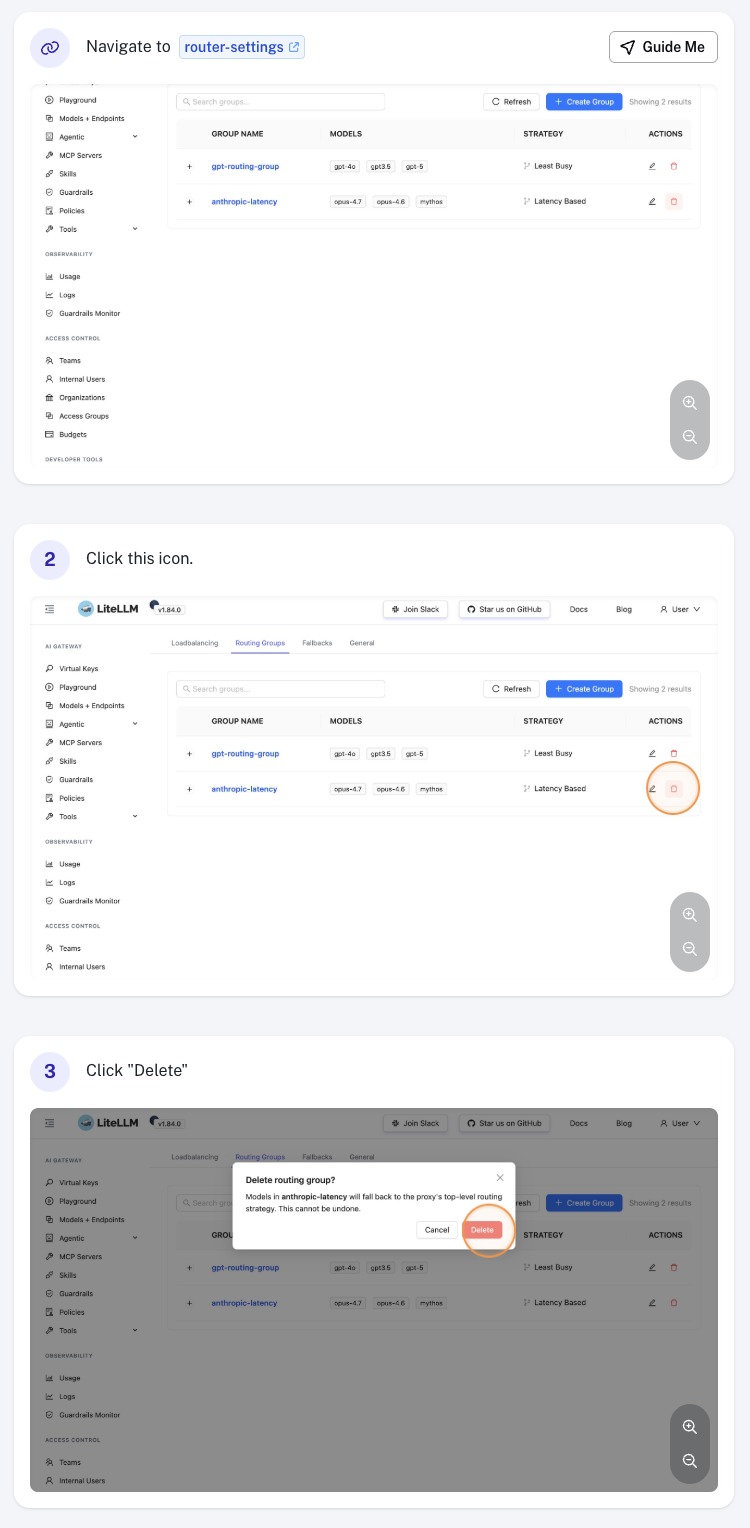
Click the Delete action on the group row and confirm. Models that were in the deleted group immediately fall back to the default routing strategy.
Via proxy_config.yaml
You can also define routing groups in your proxy configuration file. Settings configured via the UI are persisted and override the values defined here.
router_settings:
  # fallback strategy for models not in any explicit group
  routing_strategy: simple-shuffle

  routing_groups:
    - group_name: anthropic-latency
      models: [claude-sonnet, claude-opus]
      routing_strategy: latency-based-routing
      routing_strategy_args:
        ttl: 3600
See Routing Groups - Per-Model Strategies for the full schema, multi-group examples, and runtime update behavior.
Test a Request
After configuring a group, confirm that requests to a grouped model are actually being routed by that group's strategy. LiteLLM logs the routing_group, model, and strategy chosen for every request, so verification comes down to sending a request and inspecting the proxy logs.
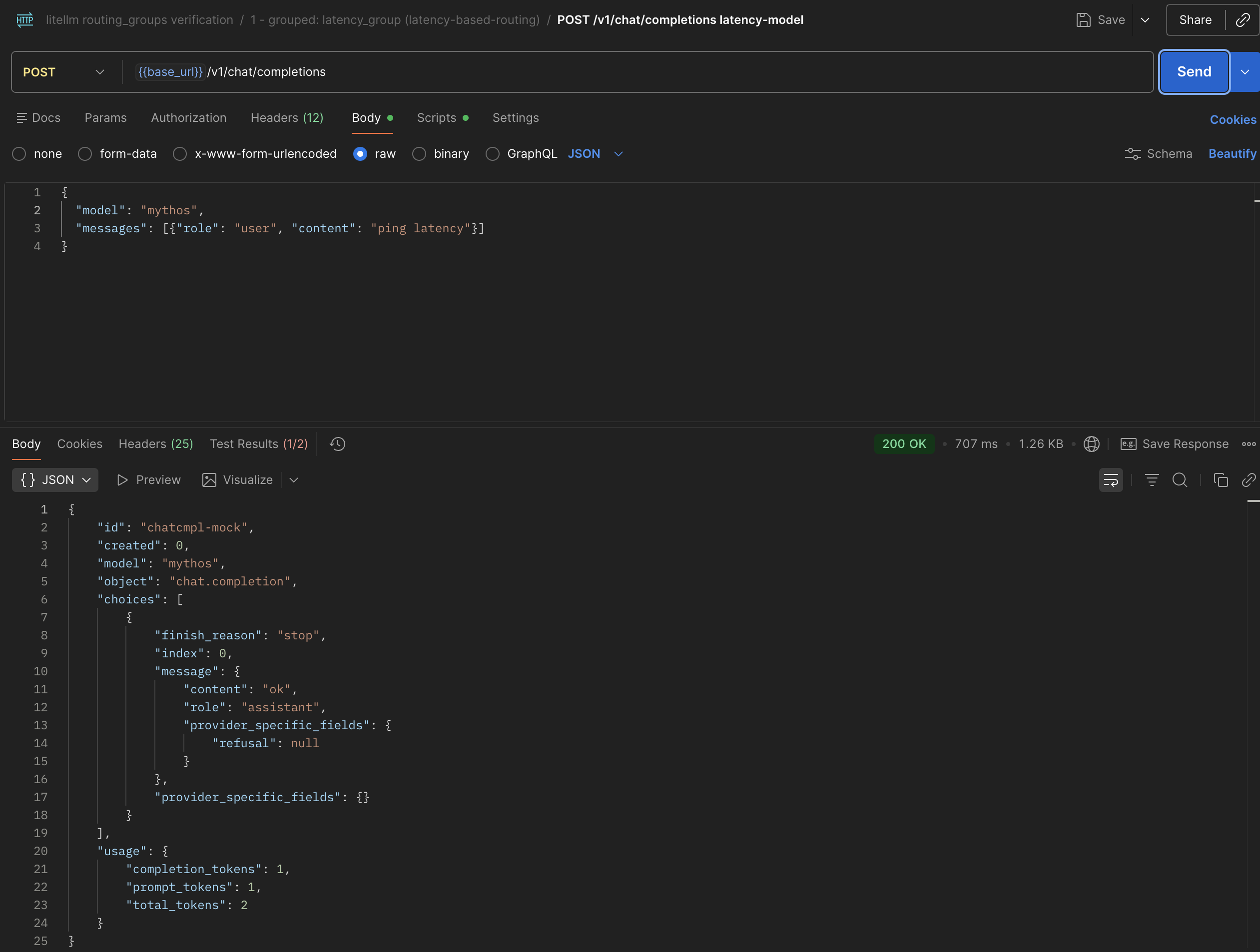
1. Send a request
Call the group itself; the group name is a model, appears in /v1/models, and routes across all member deployments by the group's strategy:
curl -X POST 'http://localhost:4000/v1/chat/completions' \
  -H 'Authorization: Bearer <your-key>' \
  -H 'Content-Type: application/json' \
  -d '{
    "model": "anthropic-latency",
    "messages": [{"role": "user", "content": "ping"}]
  }'
Or send a request to a model_name that's claimed by a routing group:
curl -X POST 'http://localhost:4000/v1/chat/completions' \
  -H 'Authorization: Bearer <your-key>' \
  -H 'Content-Type: application/json' \
  -d '{
    "model": "claude-sonnet",
    "messages": [{"role": "user", "content": "ping"}]
  }'
2. Inspect the proxy logs
Each request emits a log line containing routing_group=<name> model=<model> strategy=<strategy>.
Plain logs. Grep the proxy stdout directly:
kubectl logs -n litellm -l app=litellm --tail=200 | grep routing_group=
Loki (LogQL). Extract and reformat the fields for a clean readout:
{namespace="litellm", pod=~"<your-litellm-pod-regex>"} |= "routing_group="
| regexp `routing_group=(?P<routing_group>\S+) model=(?P<model>\S+) strategy=(?P<strategy>\S+)`
| line_format `{{.routing_group}} {{.model}} {{.strategy}}`
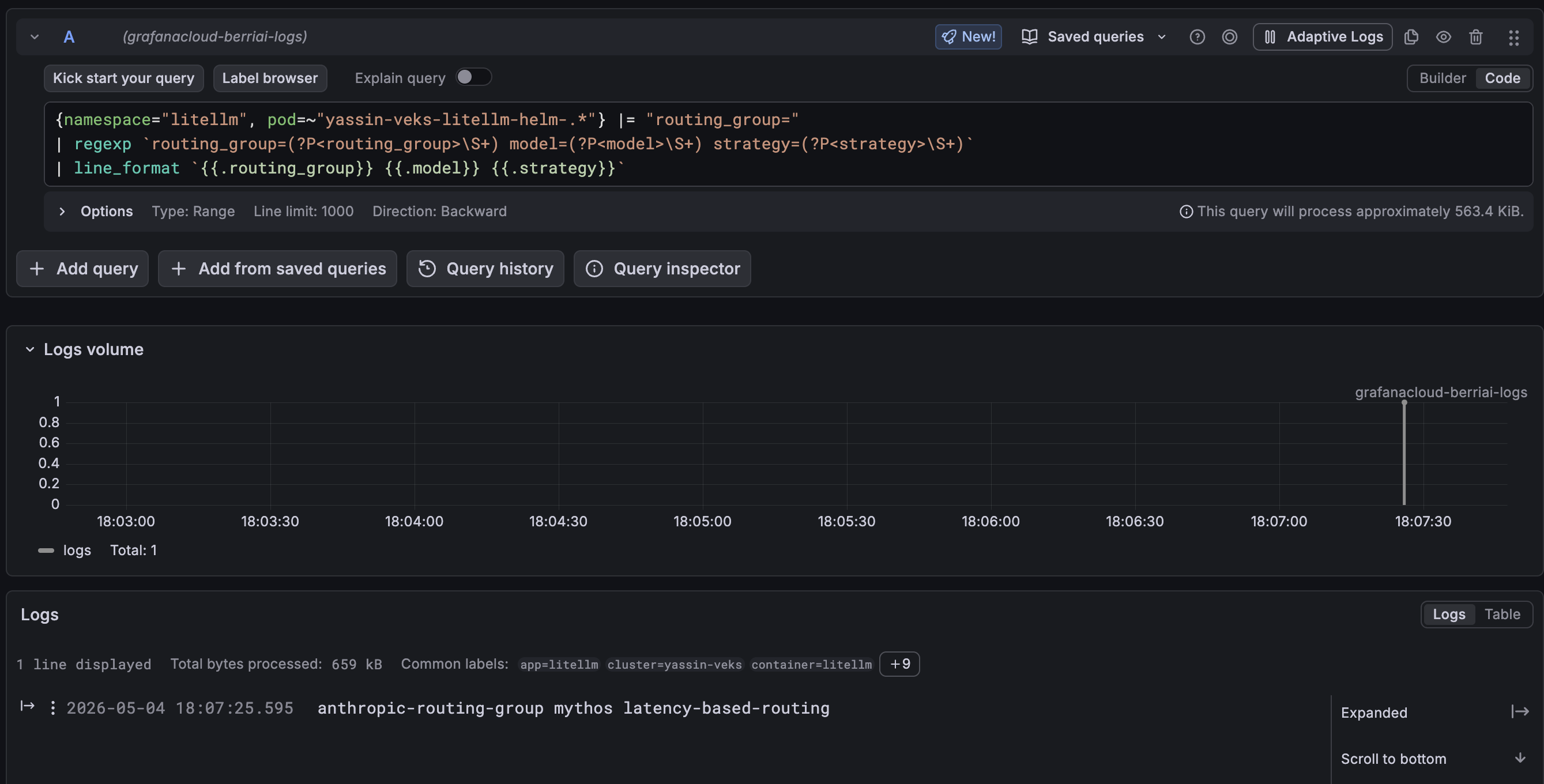
A row like anthropic-latency claude-sonnet latency-based-routing confirms the request hit the expected group. If you instead see default <strategy>, the model isn't claimed by the group, so check the group's Models list.
Notes
- Each
model_namemay belong to at most one routing group. Overlap is rejected. - The group name
defaultis reserved for the implicit fallback group. - Updates take effect immediately, since per-group state is rebuilt on save.

