Pricing Calculator (Cost Estimation)
Estimate LLM costs based on expected token usage and request volume. This tool helps developers and platform teams forecast spending before deploying models to production.
When to Use This Feature
Use the Pricing Calculator to:
- Budget planning - Estimate monthly costs before committing to a model
- Model comparison - Compare costs across different models for your use case
- Capacity planning - Understand cost implications of scaling request volume
- Cost optimization - Identify the most cost-effective model for your token requirements
Using the Pricing Calculator
This walkthrough shows how to estimate LLM costs using the Pricing Calculator in the LiteLLM UI.
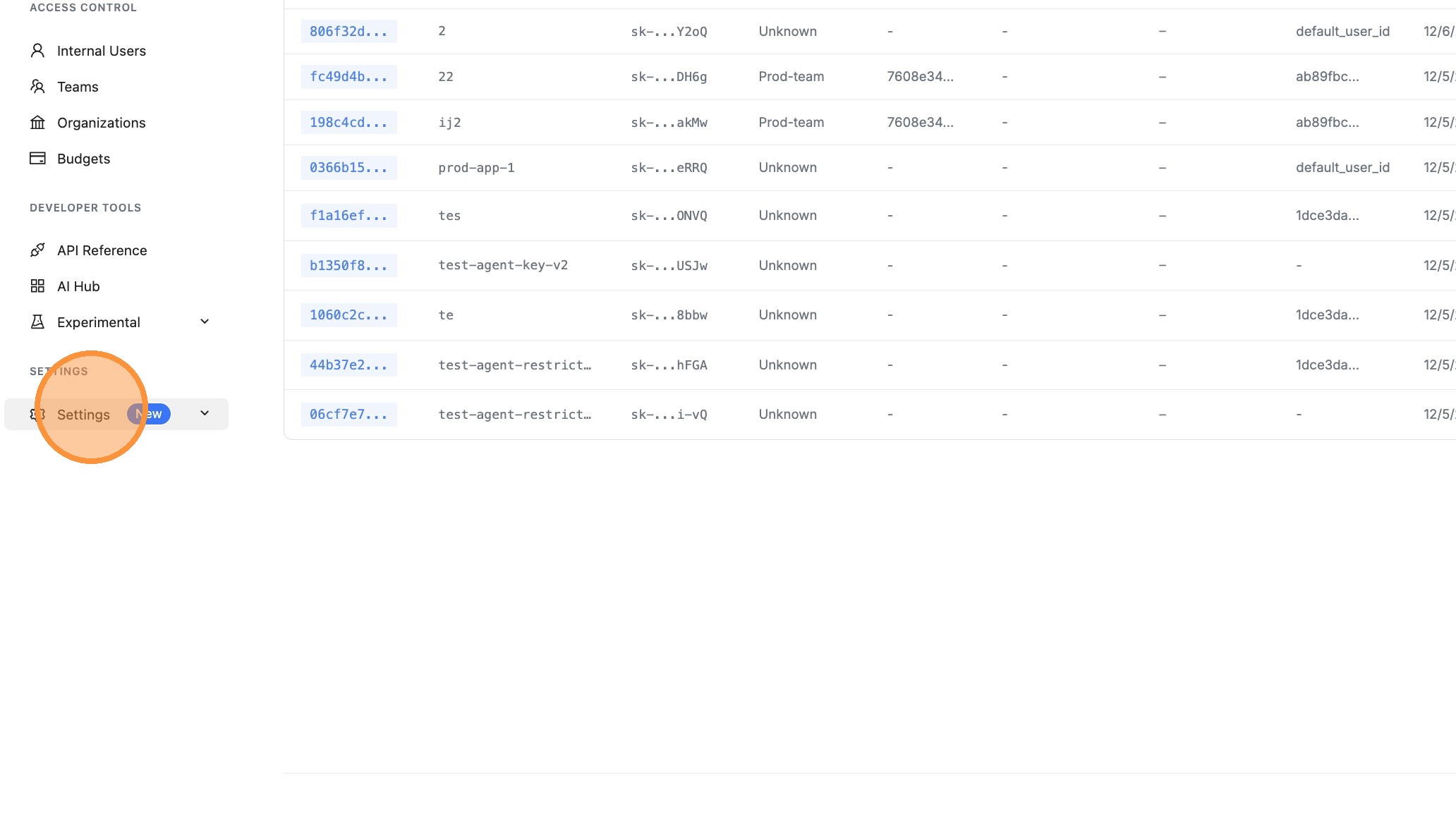
Step 1: Navigate to Settings
From the LiteLLM dashboard, click on Settings in the left sidebar.
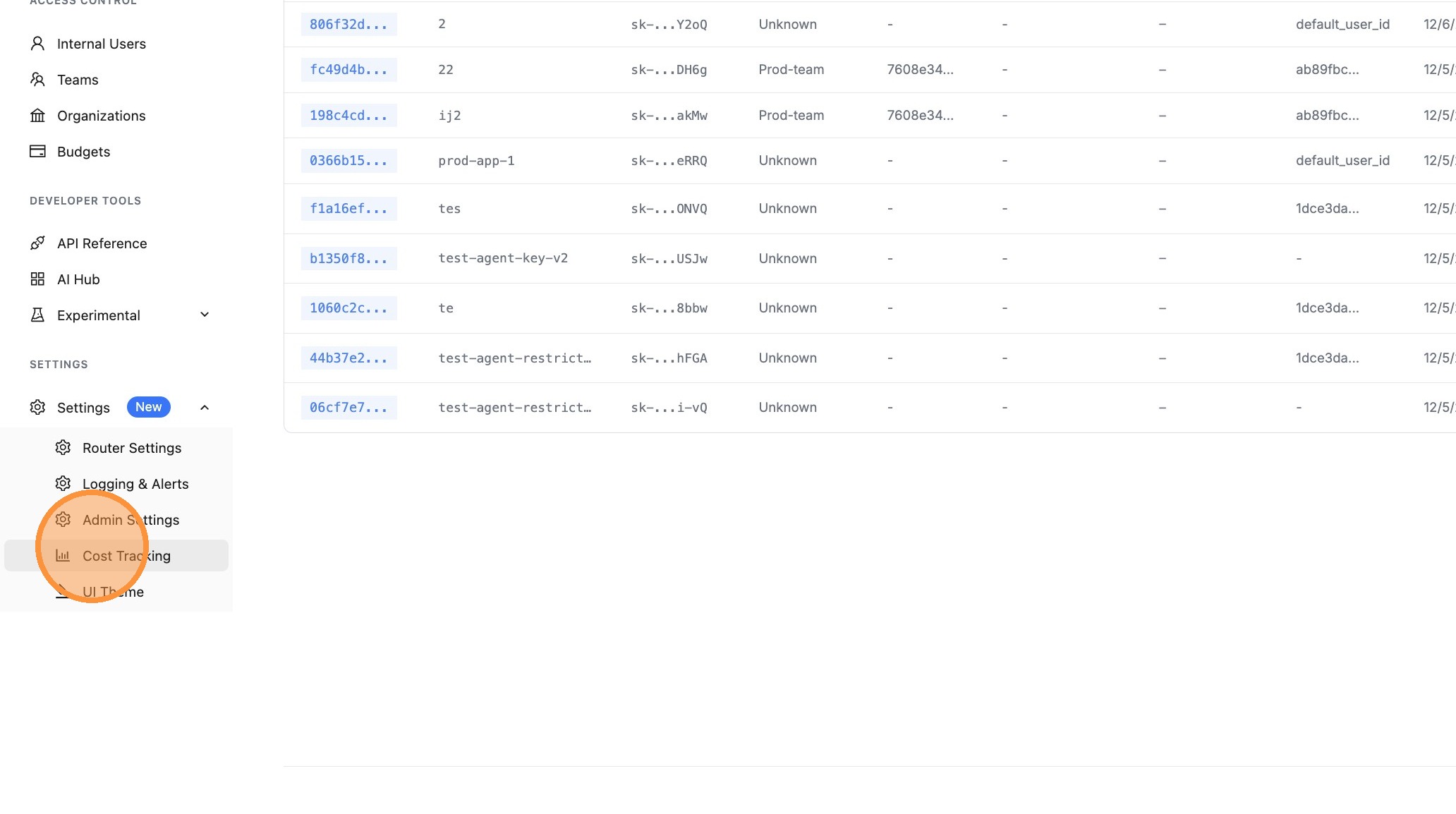
Step 2: Open Cost Tracking
Click on Cost Tracking to access the cost configuration options.
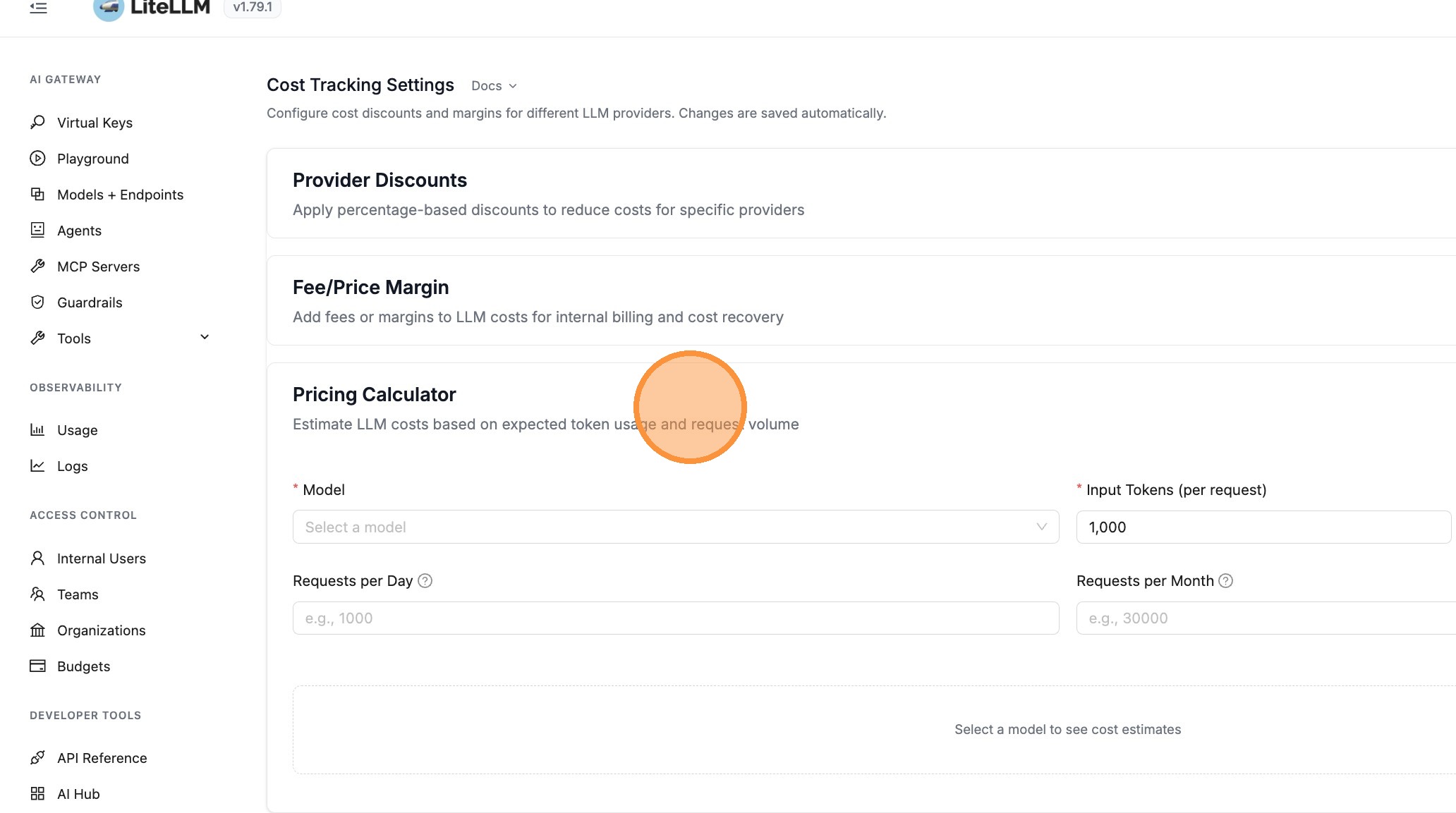
Step 3: Open Pricing Calculator
Click on Pricing Calculator to expand the calculator panel. This section allows you to estimate LLM costs based on expected token usage and request volume.
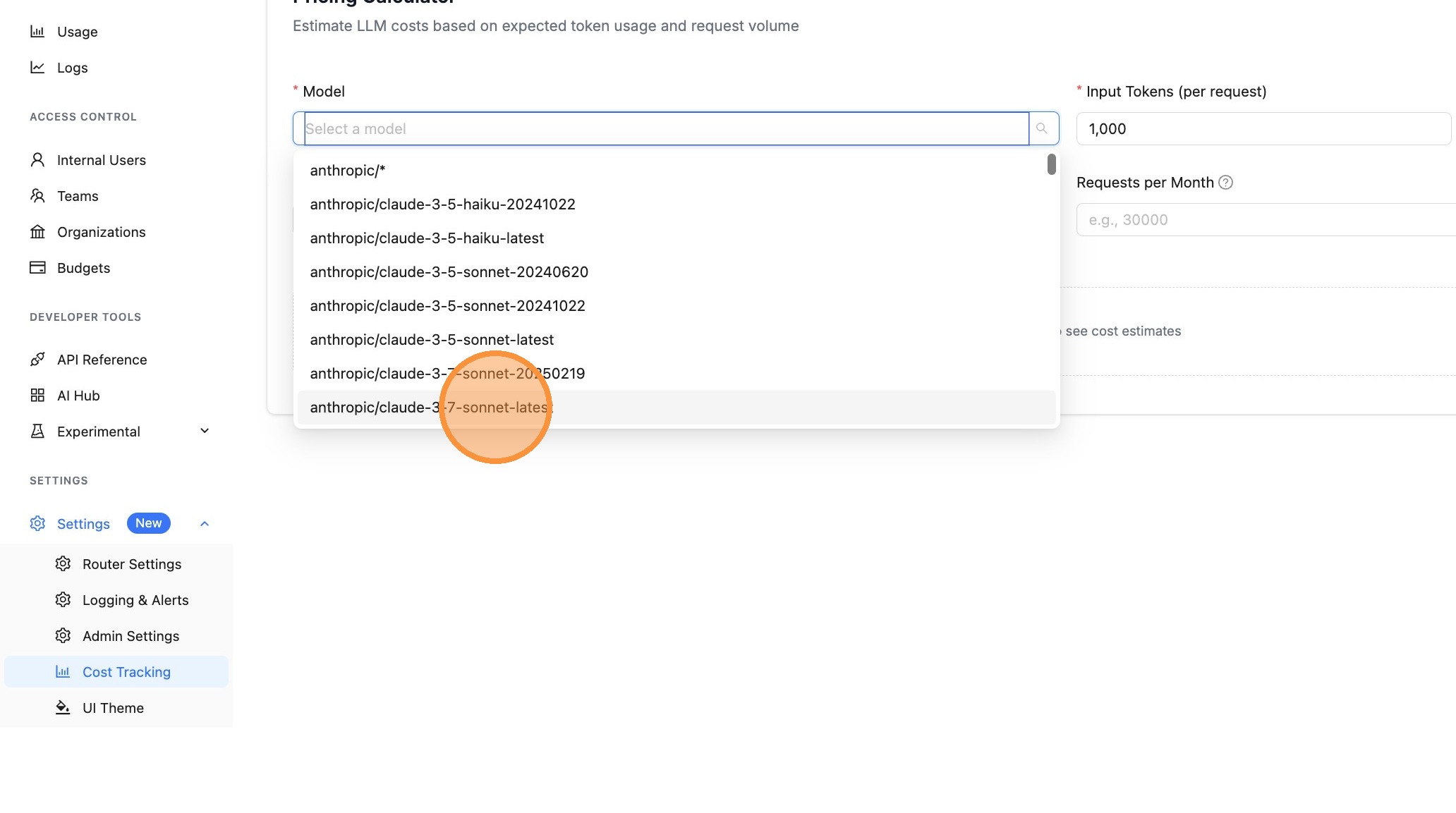
Step 4: Select a Model
Click the Model dropdown to select the model you want to estimate costs for.
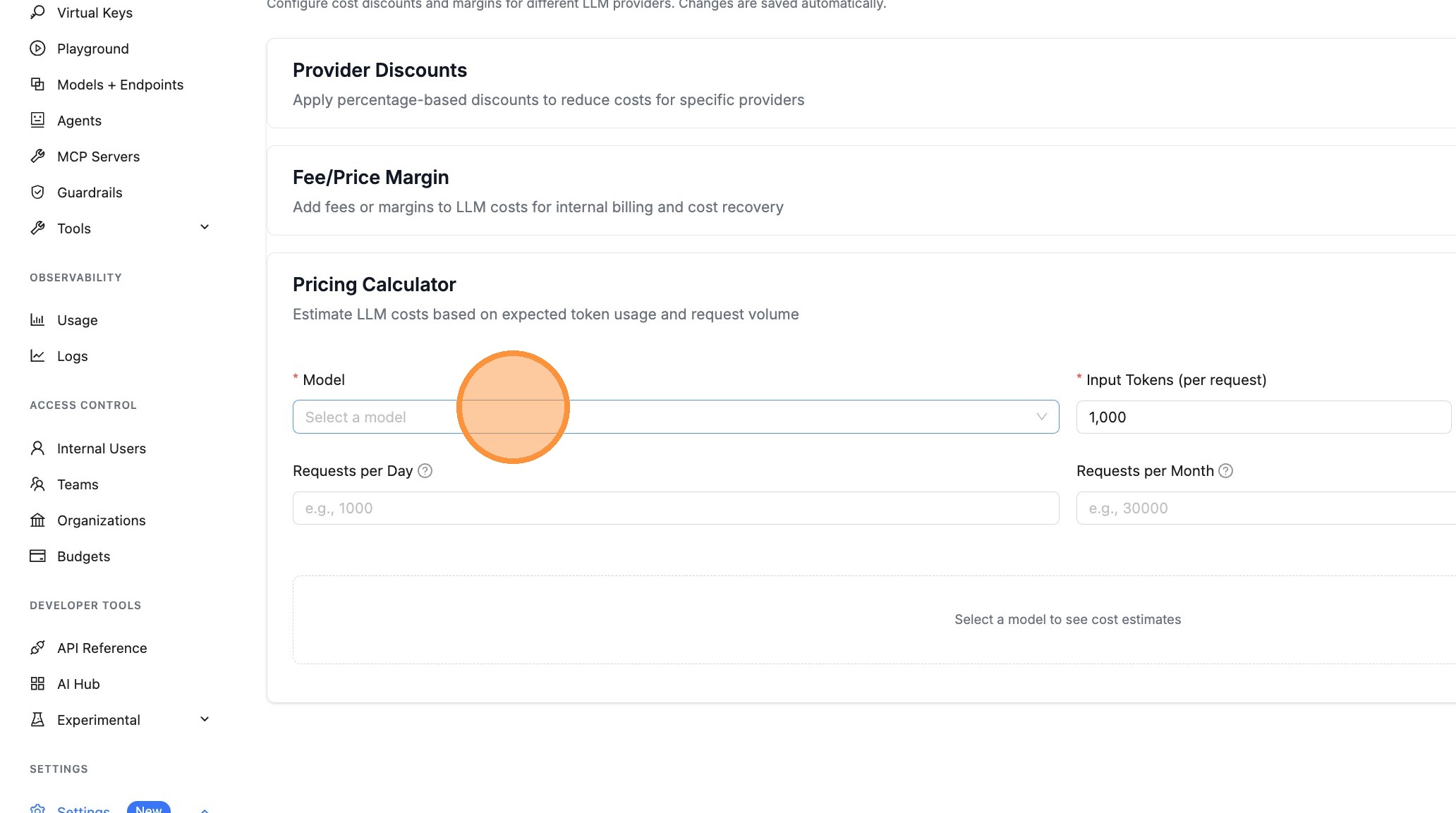
Choose a model from the list. The models shown are the ones configured on your LiteLLM proxy.
Step 5: Configure Token Counts
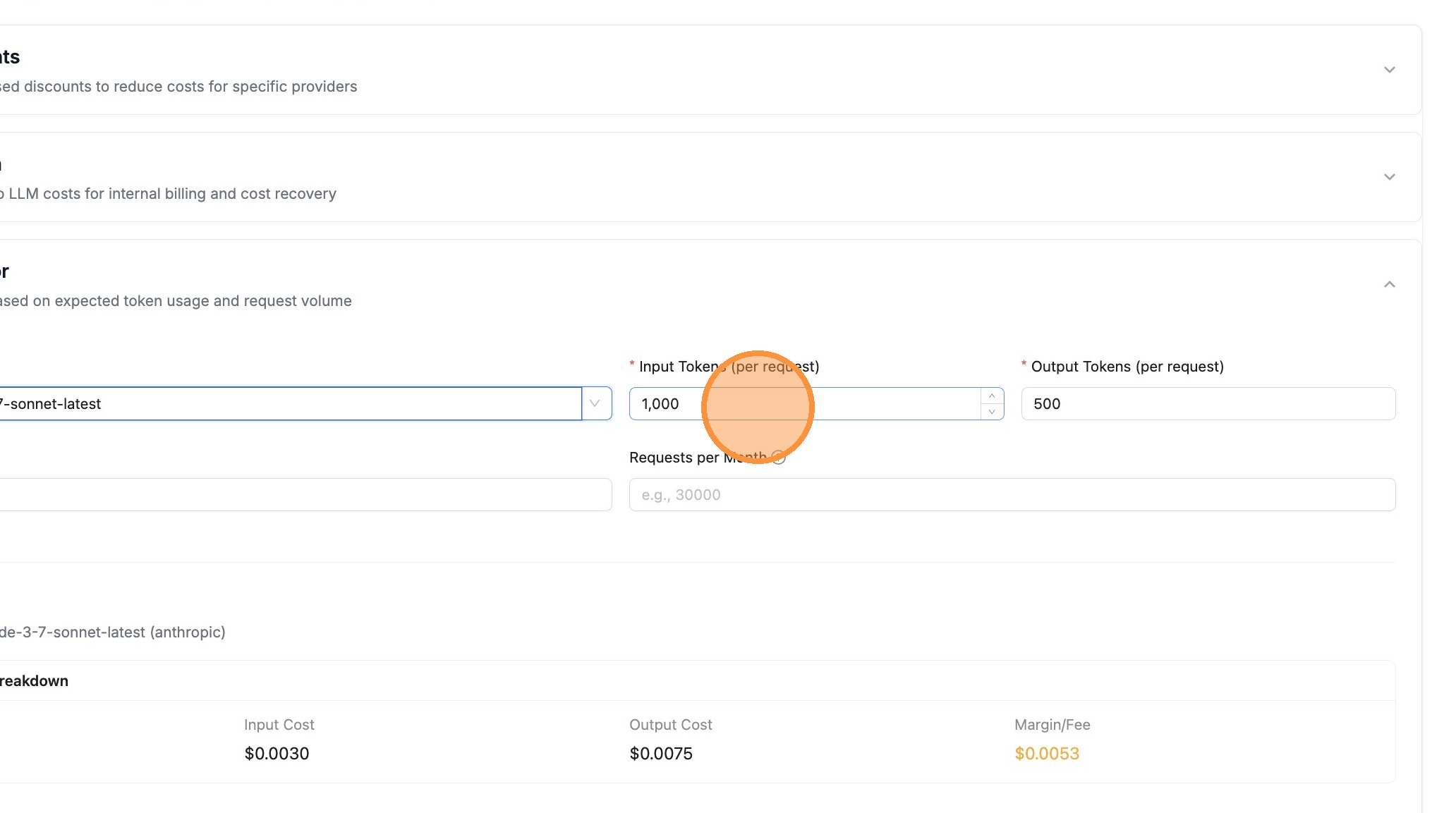
Enter the expected Input Tokens (per request) - this is the average number of tokens in your prompts.
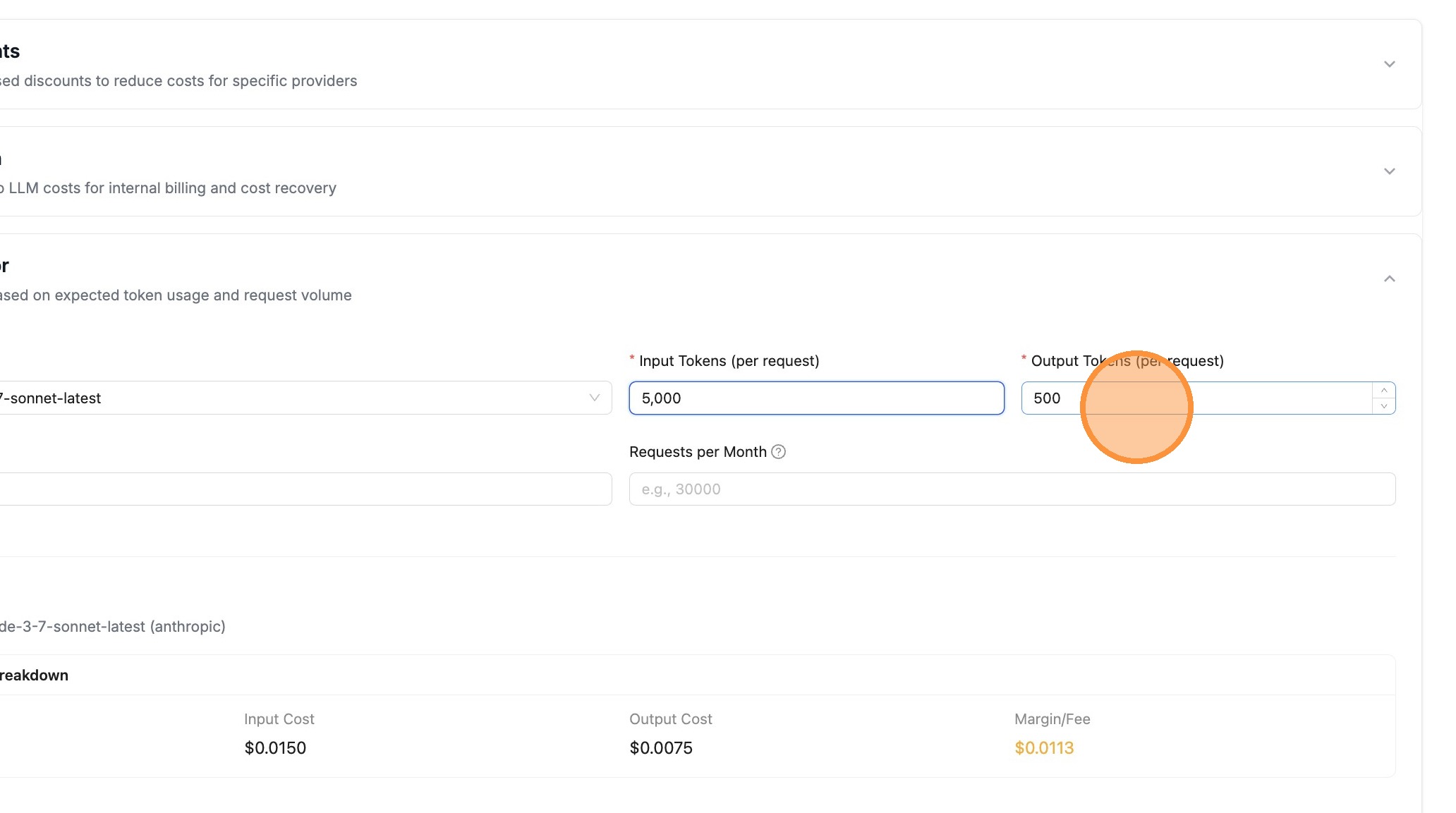
Enter the expected Output Tokens (per request) - this is the average number of tokens in model responses.
Step 6: Set Request Volume
Enter your expected request volume. You can specify Requests per Day and/or Requests per Month.
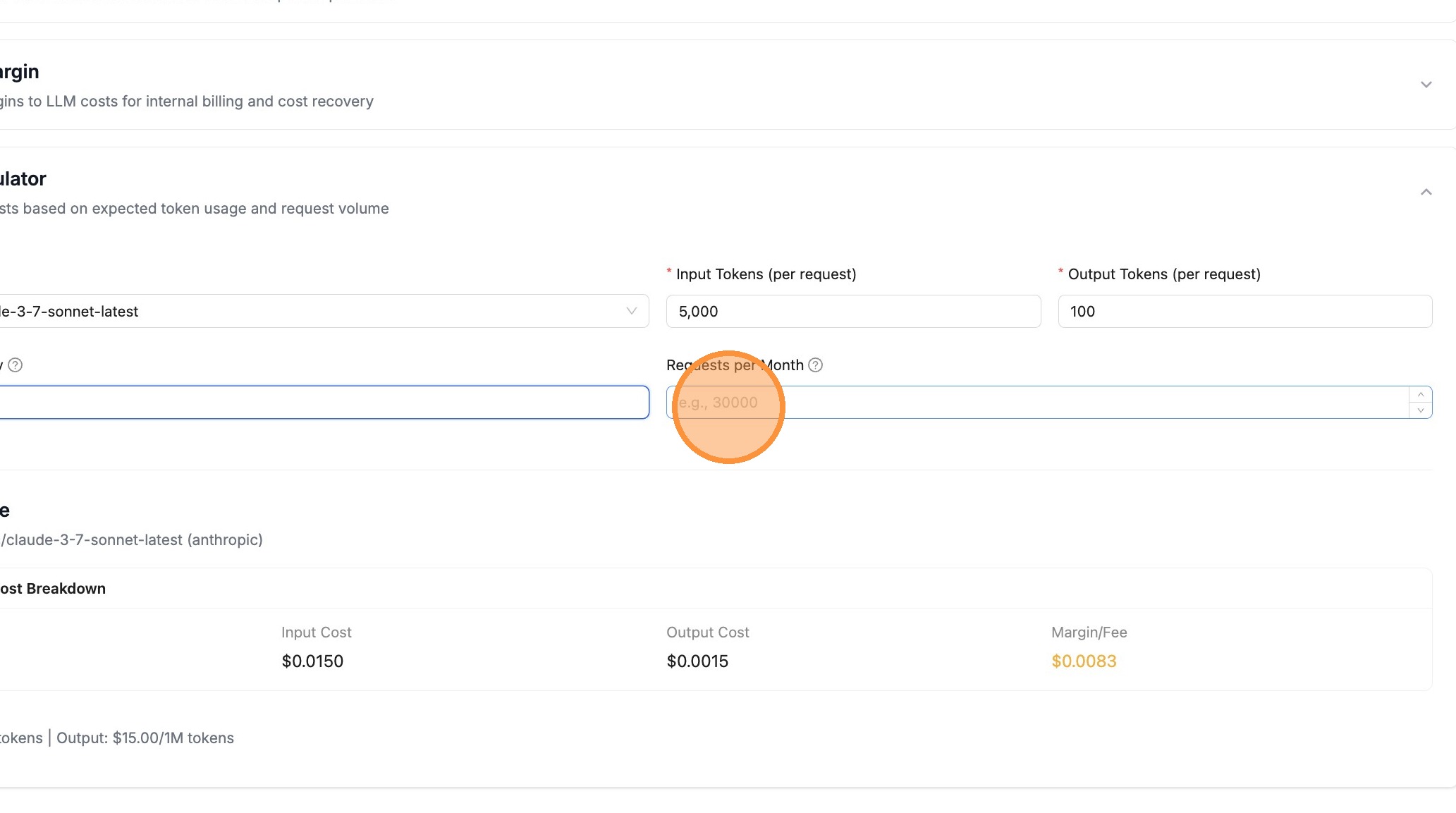
For example, enter 10000000 for 10 million requests per month.
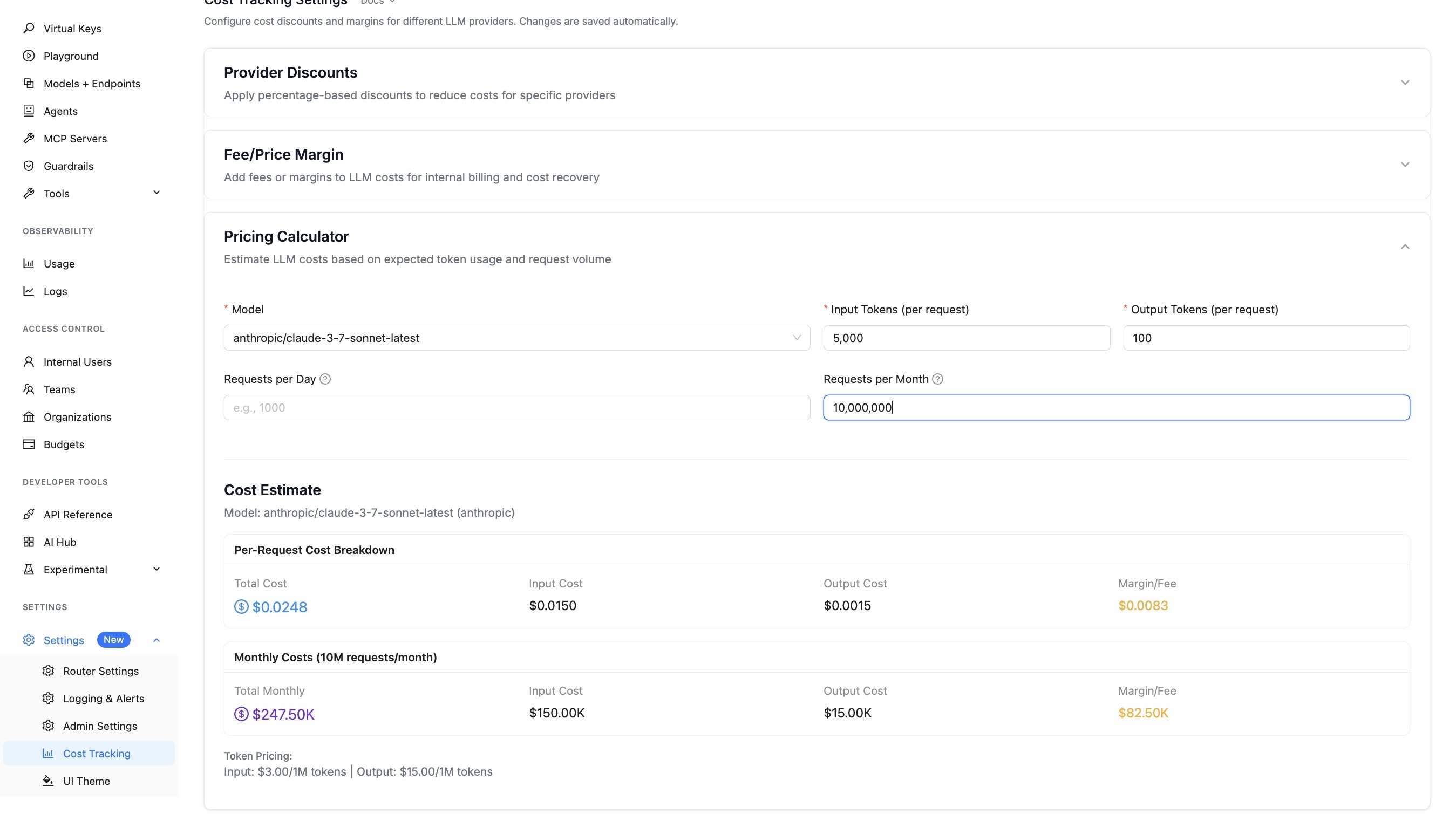
Step 7: View Cost Estimates
The calculator automatically updates as you change values. View the cost breakdown including:
- Per-Request Cost - Total cost, input cost, output cost, and margin/fee per request
- Daily Costs - Aggregated costs if you specified requests per day
- Monthly Costs - Aggregated costs if you specified requests per month
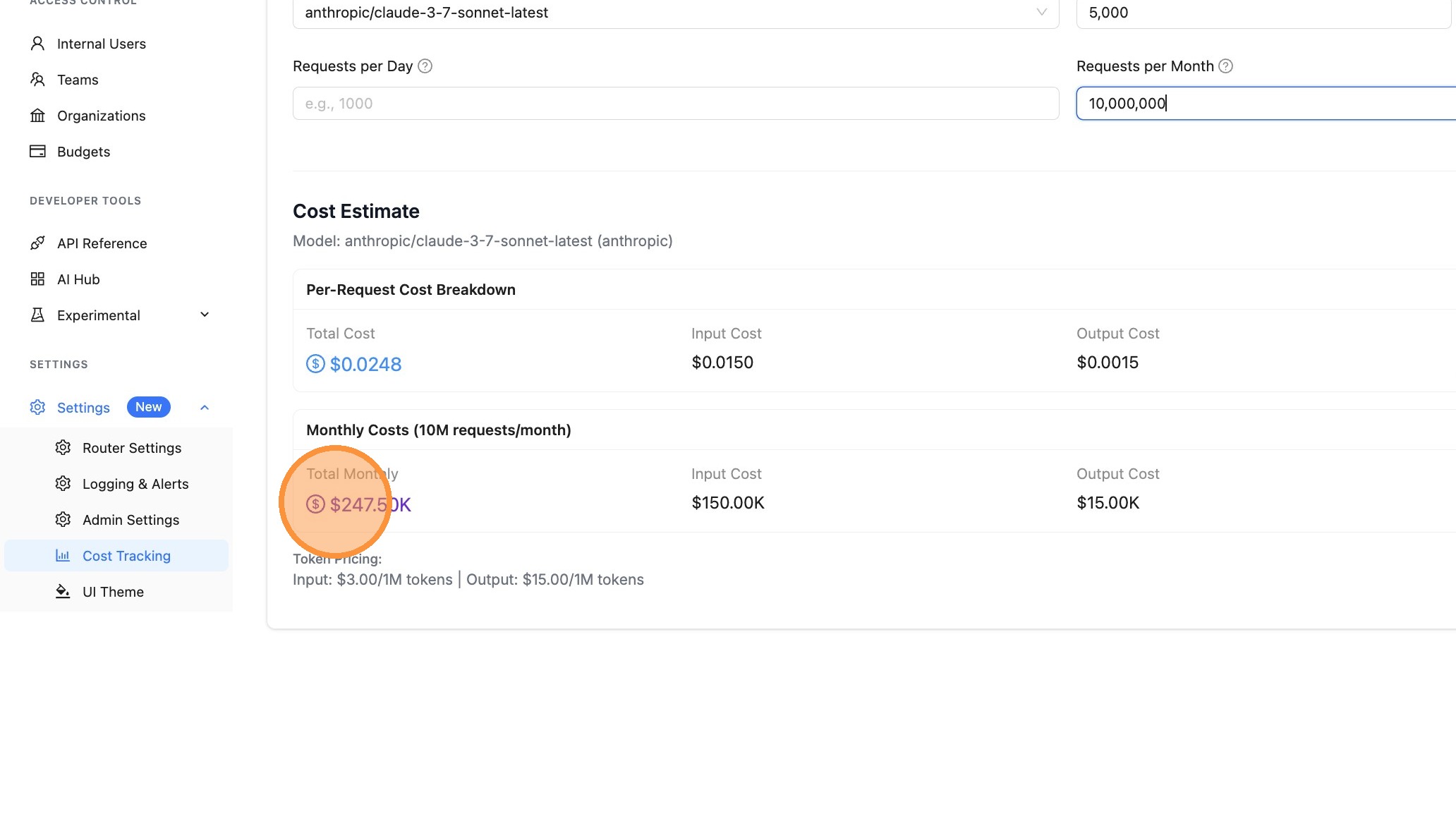
Step 8: Export the Report
Click the Export button to download your cost estimate. You can export as:
- PDF - Opens a print dialog to save as PDF (great for sharing with stakeholders)
- CSV - Downloads a spreadsheet-compatible file for further analysis
Cost Breakdown Details
The Pricing Calculator shows:
| Field | Description |
|---|---|
| Total Cost | Complete cost including any configured margins |
| Input Cost | Cost for input/prompt tokens |
| Output Cost | Cost for output/completion tokens |
| Margin/Fee | Any configured provider margins |
| Token Pricing | Per-token rates (shown as $/1M tokens) |
API Endpoint
You can also estimate costs programmatically using the /cost/estimate endpoint:
curl -X POST "http://localhost:4000/cost/estimate" \
  -H "Authorization: Bearer $LITELLM_API_KEY" \
  -H "Content-Type: application/json" \
  -d '{
    "model": "gpt-6.1-sol",
    "input_tokens": 1000,
    "output_tokens": 500,
    "num_requests_per_day": 1000,
    "num_requests_per_month": 30000
  }'
Response:
{
  "model": "gpt-6.1-sol",
  "input_tokens": 1000,
  "output_tokens": 500,
  "num_requests_per_day": 1000,
  "num_requests_per_month": 30000,
  "cost_per_request": 0.008,
  "input_cost_per_request": 0.002,
  "output_cost_per_request": 0.006,
  "margin_cost_per_request": 0.0,
  "daily_cost": 8.0,
  "daily_input_cost": 2.0,
  "daily_output_cost": 6.0,
  "daily_margin_cost": 0.0,
  "monthly_cost": 240.0,
  "monthly_input_cost": 60.0,
  "monthly_output_cost": 180.0,
  "monthly_margin_cost": 0.0,
  "input_cost_per_token": 2e-06,
  "output_cost_per_token": 1.2e-05,
  "provider": "openai"
}
Related Features
- Provider Margins - Add fees or margins to LLM costs
- Provider Discounts - Apply discounts to provider costs
- Cost Tracking - Track and monitor LLM spend

