Datasets
A dataset is a collection of examples you can test your agent against. Save useful successes and failures from traces, add the response you expect, and reuse the same cases when you change prompts, tools, or models
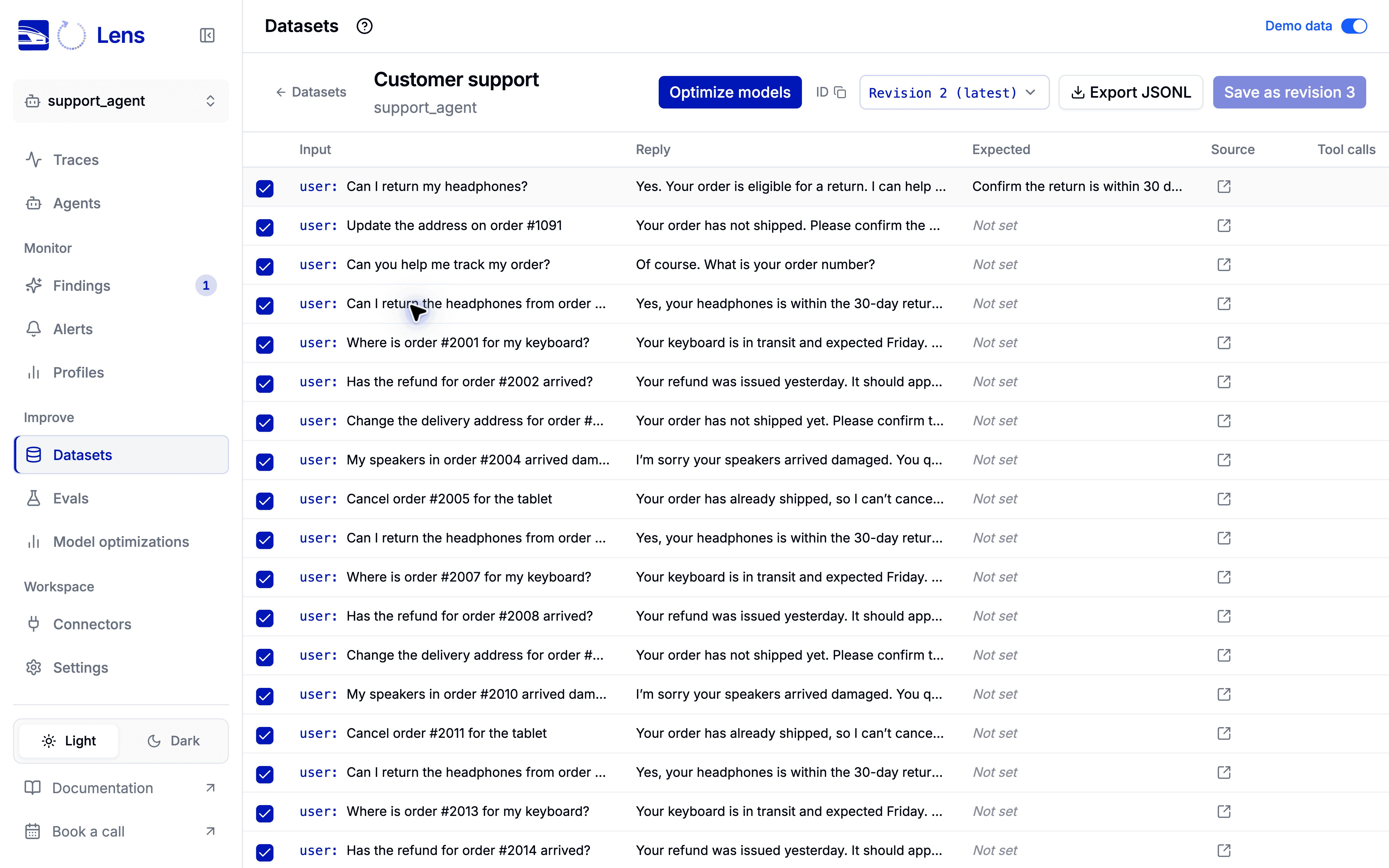
Demo data from the Lens UI preview
Save your first case
You need access to a recorded trace and permission to edit datasets. No analysis model is required to save cases
Open Traces, select a run, and choose Add to dataset. Choose an existing dataset or create one with a descriptive name. Review the captured conversation before saving
Open Datasets and select the dataset. Each row is a case. Open a row to review its conversation and expected response. Use the Source tab or Open source trace to return to the recorded run
Write an expected response that captures the behavior you want to preserve. For a failed order lookup, that might be: “Explain that the order service is unavailable and offer a handoff.” The captured reply is what the agent actually said; the expected response is your reference for future tests
Reuse the cases
Dataset edits create revisions. Evals pin a revision so a comparison uses a fixed set of cases. Choose Export JSONL to download the cases for your own tooling, or use Model optimizations > New optimization > Offline to compare models on the saved data
If the list is empty, choose Choose a trace to save a case. The list includes every dataset you can access. If a case lacks captured input or output, inspect its source trace and fix content capture before relying on it as a test