Evals
An eval runs your agent against a fixed dataset and scores the results. Use it to catch regressions before a code change ships. Lens stores the cases, scoring rules, pass criteria, and results; your project or CI runner executes the agent
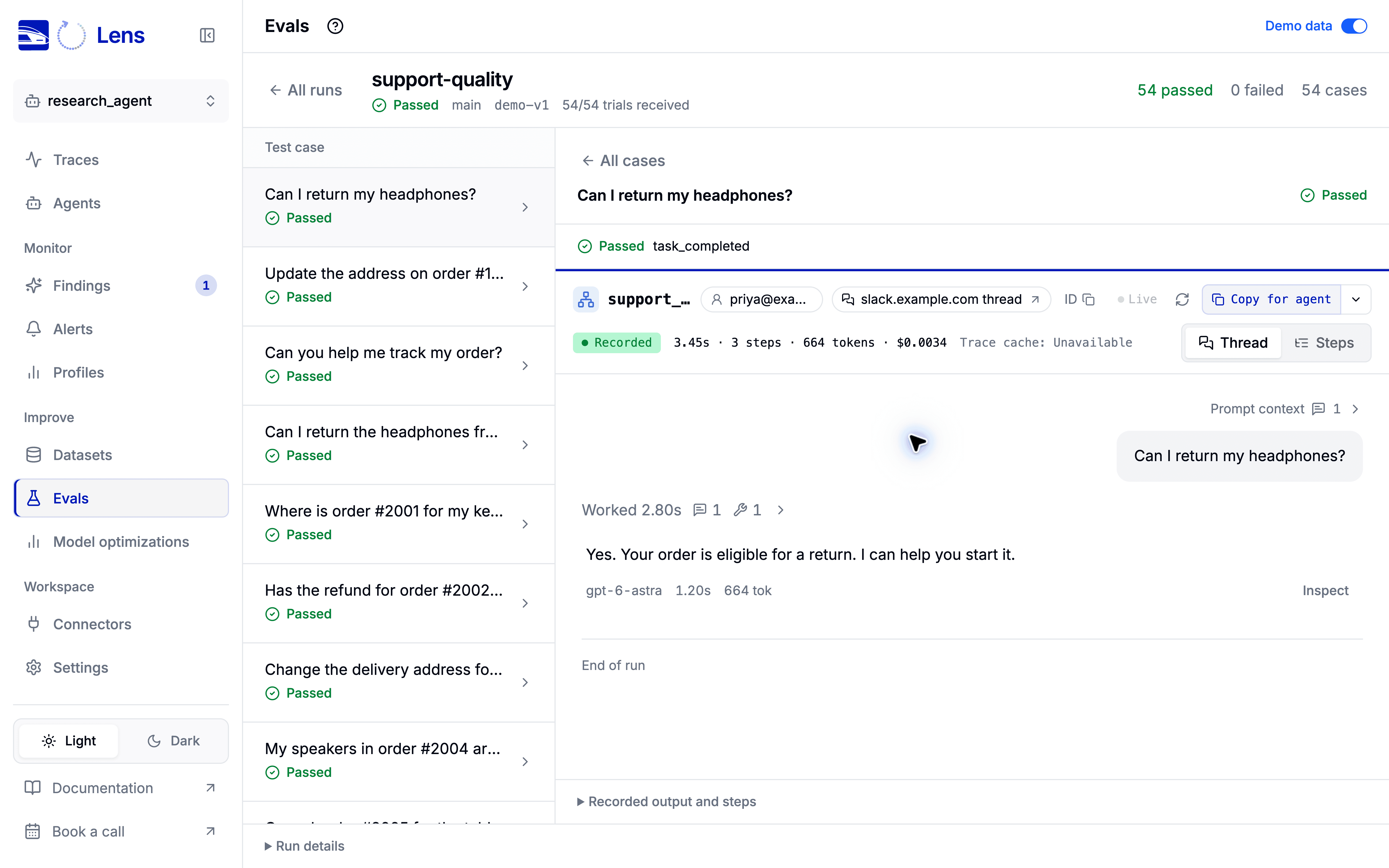
Demo data from the Lens UI preview
Create an eval
You need a dataset, permission to create evals, and an agent you can run in your own environment. An LLM judge also needs a model configured in Settings > Models & analysis. Deterministic scorers do not need a judge
Open Evals > New eval. Name the eval, choose the agent and dataset revision, then select Scorers and Pass criteria. Choose Create eval
Saving the definition does not run your agent. The No runs yet screen provides a Python test for this eval and a Connect GitHub option for CI
Run it in your project
Install the Lens SDK in the agent project. The current Python test API is a source preview, so use a matching source build rather than assuming an older wheel contains it. Your environment also needs the agent's dependencies, model credentials, and tool access
Set LENS_BASE_URL to the Lens or connected gateway origin reachable from that environment. Set LENS_API_KEY to a credential that can read the dataset and write eval runs. Keep both in your environment or secret manager
Open Python test: tests/test_lens_eval.py in the saved eval and copy it into that path in your project. Replace the example agent import and call with your real entry point. Record its actual output and trace ID, then run from your project directory:
python -m pytest tests/test_lens_eval.py -v
Return to the eval in Lens. The run should appear with a verdict and one result for every case and trial. For CI, use Connect GitHub to prepare the repository's test workflow and credentials
Read a failed run
Open a run, then a failing case. Compare its input, actual output, expected response, and scorer results. Open the linked trace to inspect the agent's steps
A compatible baseline lets Lens show which cases improved or regressed. Run the baseline and candidate against the same dataset revision and scoring rules. A missing baseline is not a measured improvement
If no run appears, check the test's Lens address, credential, and saved eval name. If a trace-based scorer cannot find evidence, check that tracing records the eval's agent name, version, and deployment.environment=eval. See the SDK test guide for those requirements