
Give your team one place to find and share useful agent skills. With LiteLLM Skills Gateway, teammates can reuse a skill's instructions and supporting files in their own AI agents.
To help you manage those skills, we've added:
- ZIP uploads
- Admin review
- Version history
- Download tracking
Upload a complete skill
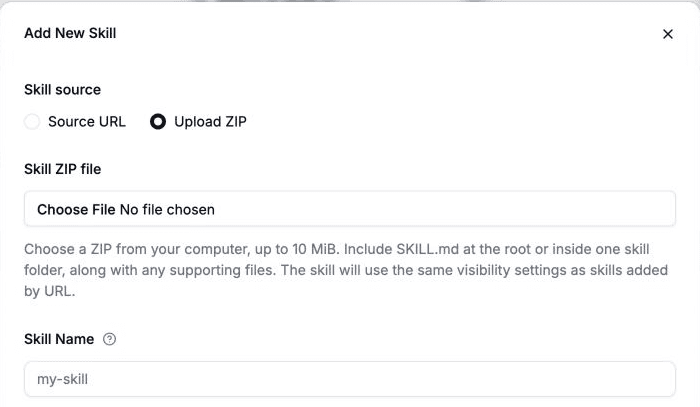
Select Add Skill, choose Upload ZIP, and select a ZIP with SKILL.md and its supporting files.
Review skills before publication
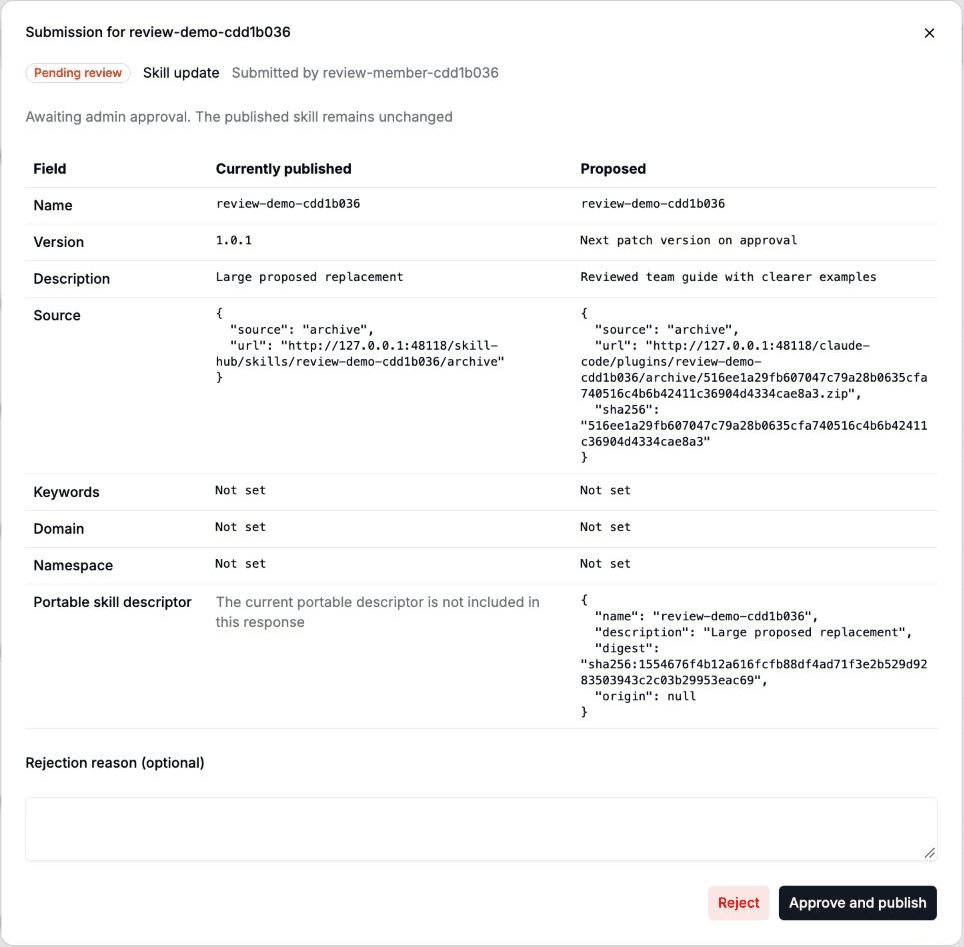
Team members can submit new skills or propose updates. Admins approve or reject submissions before teammates can access the changes. Admins can publish their own uploads without review.
Open Submissions to compare a proposal with the published skill, then choose Approve and publish or Reject.
With a scanner configured, an admin can select Scan for threats and review the findings before approving a skill. The scan is optional and advisory; the admin decides whether to publish.
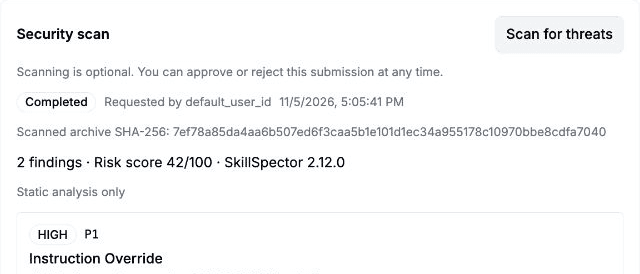
Example scan of a test skill, with findings for the admin to review.
Keep earlier skill versions
Update a skill under the same name to publish a new version. You can inspect its version history and download a retained ZIP from an earlier version.
New skills start at 1.0.0. Publish the next update as 1.0.1 with the default patch increment, or set a higher version number.
See who downloads your skills
Admins can inspect each skill's download count and authenticated download history, including who downloaded it and when. Use those records to see which skills teammates pick up and who to ask for feedback.
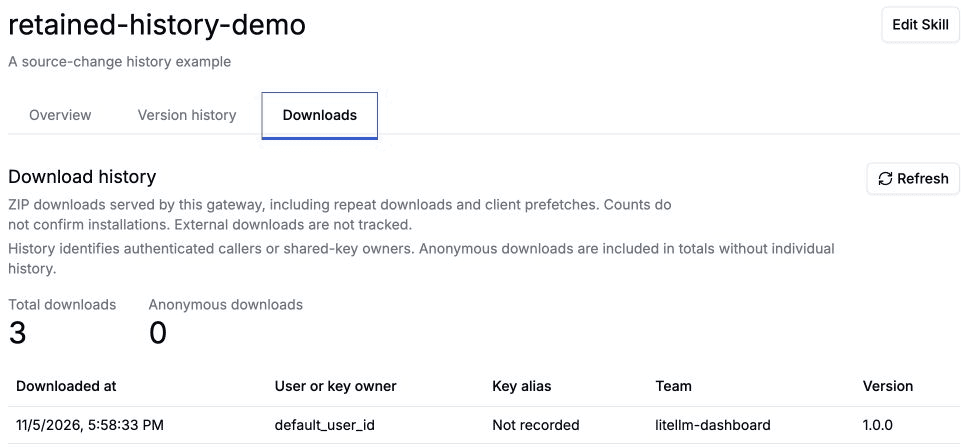
Example download history for a test skill.
Anonymous and repeat downloads count toward totals. Shared keys identify the key's owner. Downloads do not confirm skill executions or completed installs.
Open Skills Hub in the LiteLLM dashboard to share a skill your team uses.