18 posts tagged with "ai-gateway"

View All Tags

Use Hex to analyze LiteLLM costs, then set budgets and routing


Ishaan Jaffer
CTO, LiteLLM
← BlogCOST REPORTING / HEX TEMPLATE
LiteLLMHex

AI spend.Cost reporting, now in Hex.

Connect Hex to your LiteLLM Postgres data.
Set budgets and routing in LiteLLM.

View live Hex demo
TEAMS / MODELS / BUDGETSOPEN TEMPLATE · V2.0.0
THE HEX BOARDSYNTHETIC DEMO DATA

Explore the live Hex dashboard.

Open the working demo ↗ · Synthetic data · No sign-in
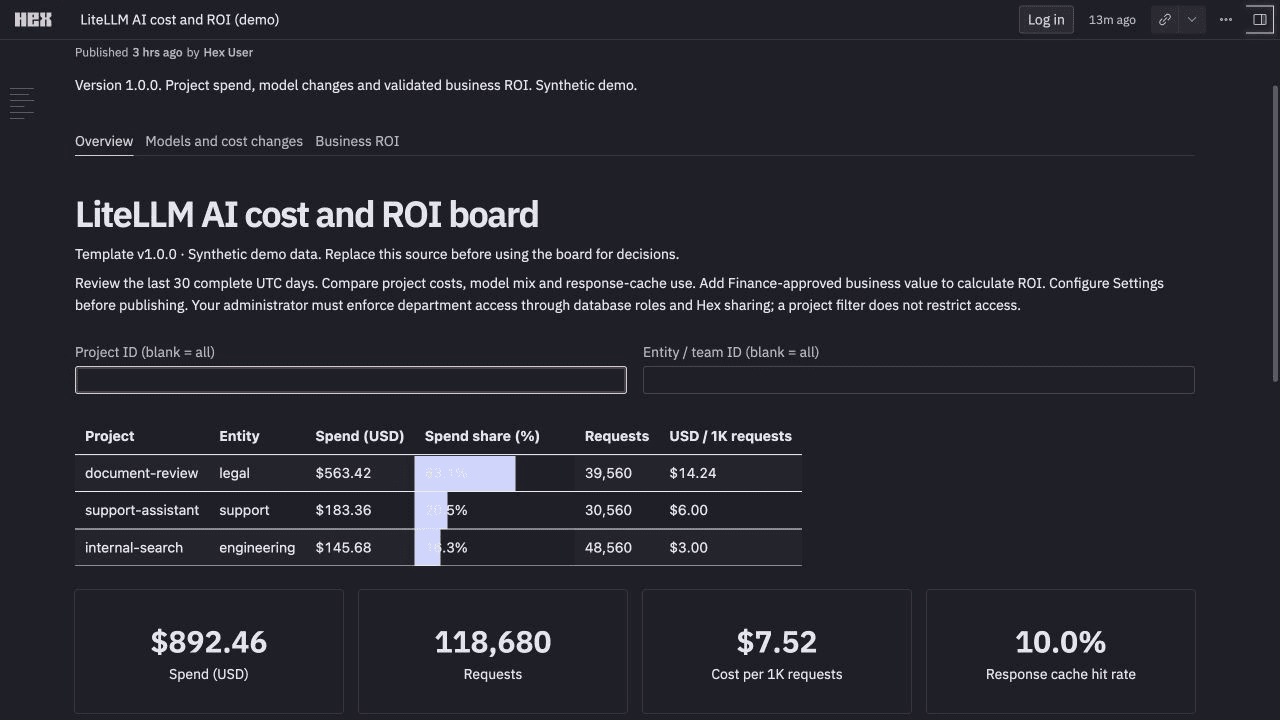
Hex board showing project spend, request volume, unit costs and daily trends with synthetic data

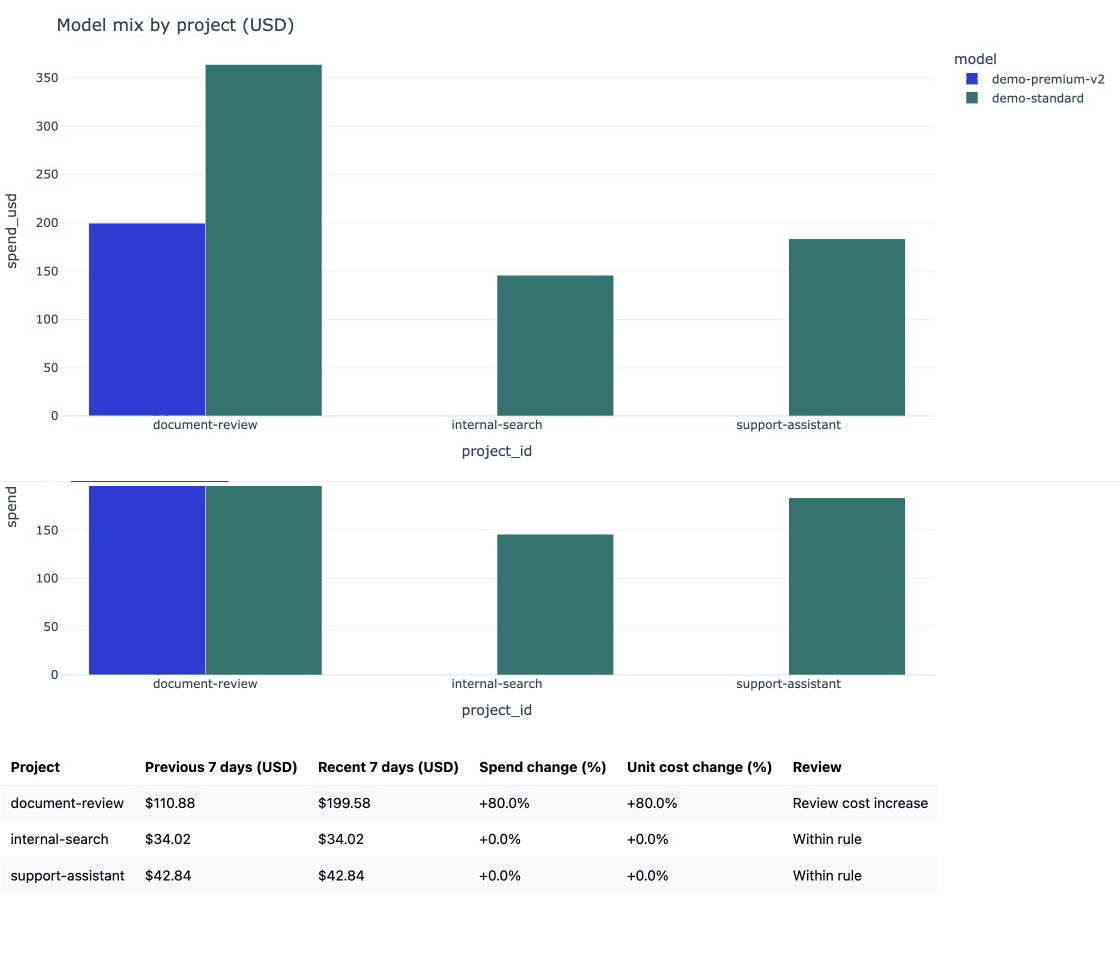
See a model change raise unit cost.

Zoomed Hex demo alternating between project model mix and the cost-change table, where document-review shows an 80 percent unit-cost increase
Model mix and seven-day cost changes in Hex. Synthetic demo data.

The public demo includes synthetic timing metrics. The daily team template reports recorded costs, requests and usage; daily rows do not include latency.

LiteLLM records AI costs in Postgres and maintains daily spend totals. Hex connects to that database and reads the totals. Use the dashboard to find a cost increase, then open LiteLLM to change routing or set a budget.

1. Connect Hex to your LiteLLM Postgres database​

In Hex, open Settings → Data sources → + Connection → Postgres. Add a read-only connection to the database your LiteLLM gateway uses.

READ-ONLY DATA FLOWEXISTING DAILY AGGREGATES
01 / YOUR POSTGRESDaily spendLiteLLM_DailyTeamSpend
date + team_id
Day and team
model + spend
Recorded costs
api_requests
Daily requests
prompt_tokens + completion_tokens
Token usage
02 / HEX SOURCE QUERYTeam namesLiteLLM_TeamTable

Join daily totals to team display names.
Keep ownership by stable team ID.

SQL included in the templateNo database objects created
03 / YOUR HEX APPCost reporting

Team costs. Model mix.
Daily trends. Cost changes.

Refresh with a scheduled run
LiteLLM writes the daily totals in Postgres. Hex reads reporting columns from these two existing tables. You change budgets and routing in LiteLLM; Hex does not write to the gateway.

The template reads two existing tables: LiteLLM_DailyTeamSpend for costs and usage, and LiteLLM_TeamTable for team display names. It groups the results by day, team and model. Give the reader access to those reporting fields. It does not need your key table, prompts or responses.

Connection details and SQL permissions.

2. Add the template and inspect your costs​

Open the live Hex demo first. You can filter it without signing in. Its records are synthetic.

To use your own data, download the Postgres template below. In Hex Home, click + → Upload project, then click Upload in the dialog and choose the .hex.yaml file. Select your Postgres connection on the Source SQL cell and Run all.
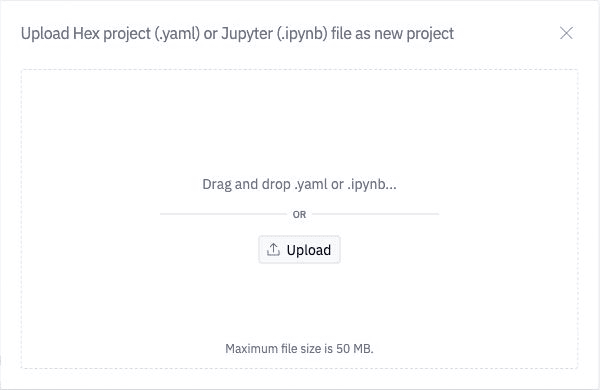
Hex dialog for uploading a YAML project

Filter by team. Compare recorded spend, request volume and cost per thousand requests, then open Models and cost changes. In the demo, the Legal team's document-review workload switches models and unit cost rises 80%.

3. Take an action in LiteLLM​

Use Hex to investigate the increase. Apply the change through your LiteLLM gateway.

Your decisionIn the LiteLLM UI
Try a cheaper modelOpen Teams → your team → Settings → Edit Settings → Model Aliases. Change the model behind an alias your application already calls, then save. Evaluate the candidate on your workload first.
Route by request complexityOpen Models + Endpoints → Auto Router → Add Auto Router. Choose the models for each tier, test routing and connections, then save. Configure your application or team alias to call that router.
Set a spending limitOpen Teams → your team → Settings → Edit Settings. Set Max Budget (USD) and Reset Budget, then save.

For example, select Legal in LiteLLM and set Max Budget (USD) to 1000 and Reset Budget to monthly (30 days). This limits new spend; it does not change recorded costs.
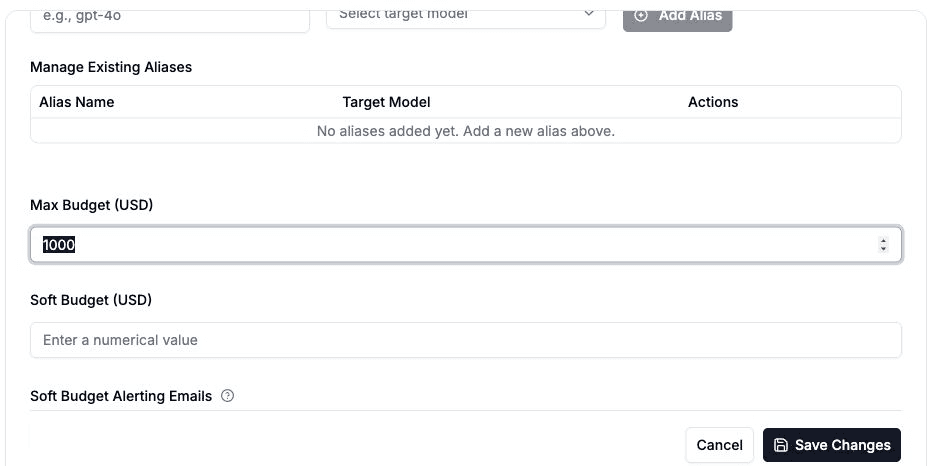
Set Legal’s budget in the LiteLLM team settings

Current LiteLLM UI with synthetic local gateway data.

After saving, check the team's budget status. Then refresh Hex after LiteLLM updates its daily totals to compare the next complete period. Set a Hex scheduled run if you want the report to refresh on a schedule.
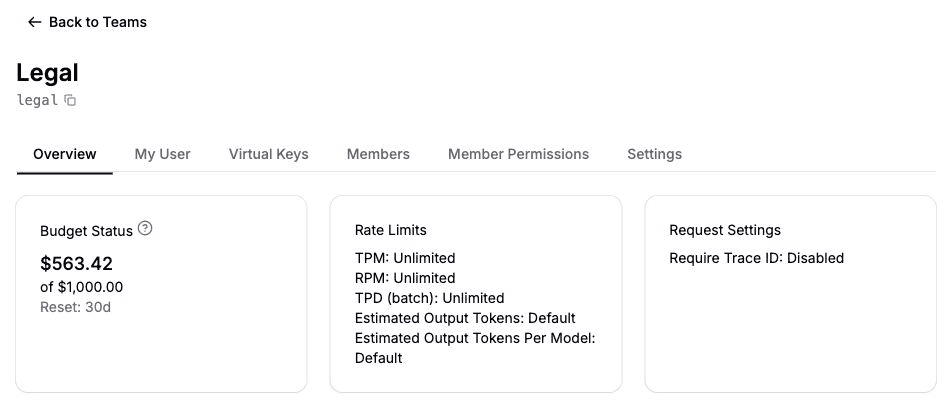

Legal’s budget status after saving

Auto Router setup · Team budgets

Rust Migration: /v1/messages end-to-end in Rust by Dec 1

Nate Armstrong
Lead Rust Engineer, LiteLLM

The Rust migration is being slightly rerouted to get the largest performance improvements to the largest portion of requests as quickly as possible. We will be focusing on /v1/messages requests to providers which natively support Anthropic-style APIs, with the most common set of proxy features enabled. By December 1st, you can expect the proxy to handle these requests with common configurations with about 20x less latency.

Cache-Aware Routing for Self-Hosted Models

Yassin Kortam
Senior SWE @ LiteLLM

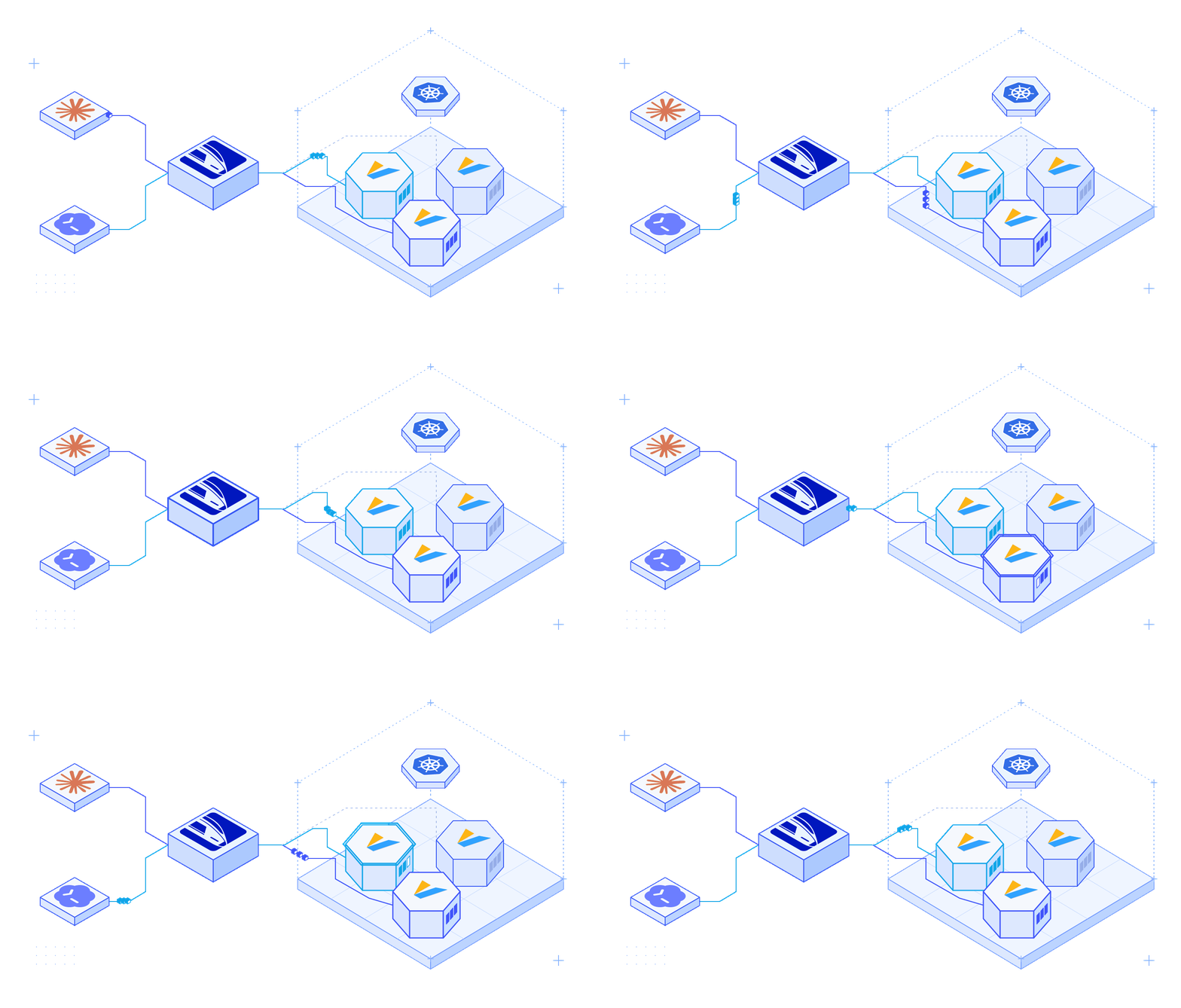
Claude Code and Codex requests pass through the LiteLLM gateway and return to the same vLLM pod for each session, allowing cached prompt prefixes to be reused.

LiteLLM now supports cache-aware routing for self-hosted inference on Kubernetes. Within a deployment, requests from the same session go to the same GPU pod. This lets vLLM reuse cached prompt prefixes across turns.

Agent requests often share system instructions, tool definitions, and conversation history. When requests reach different pods, each pod may process the same prefix again. Session affinity helps reuse that work.

Introducing Microsoft 365 Copilot in LiteLLM

Yassin Kortam
Senior SWE @ LiteLLM

LiteLLM × Microsoft 365 Copilot

Microsoft 365 Copilot is now a provider in LiteLLM. Use it from your applications to ask questions about your Microsoft 365 work data.

Users sign in with their Microsoft work account and ask questions like “Summarize my latest meeting.” Copilot answers using the data they already have permission to access.

How we cut LiteLLM's Redis round trips per request by 64%

Yassin Kortam
Senior SWE @ LiteLLM

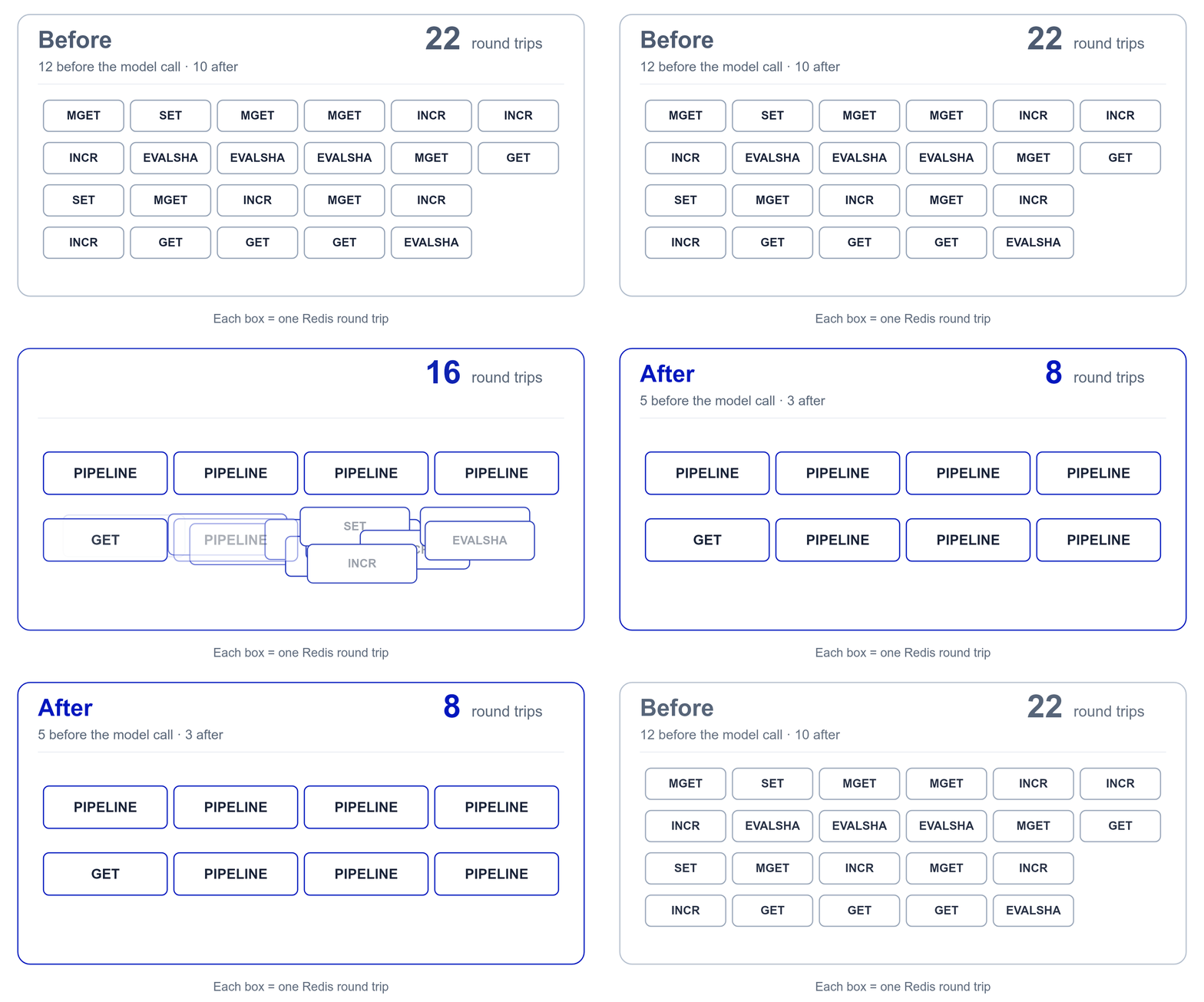
LiteLLM's 22 Redis round trips merge into 8, a 64% reduction per request

This week, we cut the number of times a request to the LiteLLM proxy waits on Redis from 22 to 8.

A request from a key with a budget, in a team with a budget and TPM/RPM limits, against a model group with usage-based routing and a Redis response cache, made 22 Redis round trips: 12 before the model was called and 10 after. The same request, with the same checks and the same writes, now makes 5 before and 3 after.

Introducing LiteAdmin MCP

Tin Lo
AI Product Engineer, LiteLLM
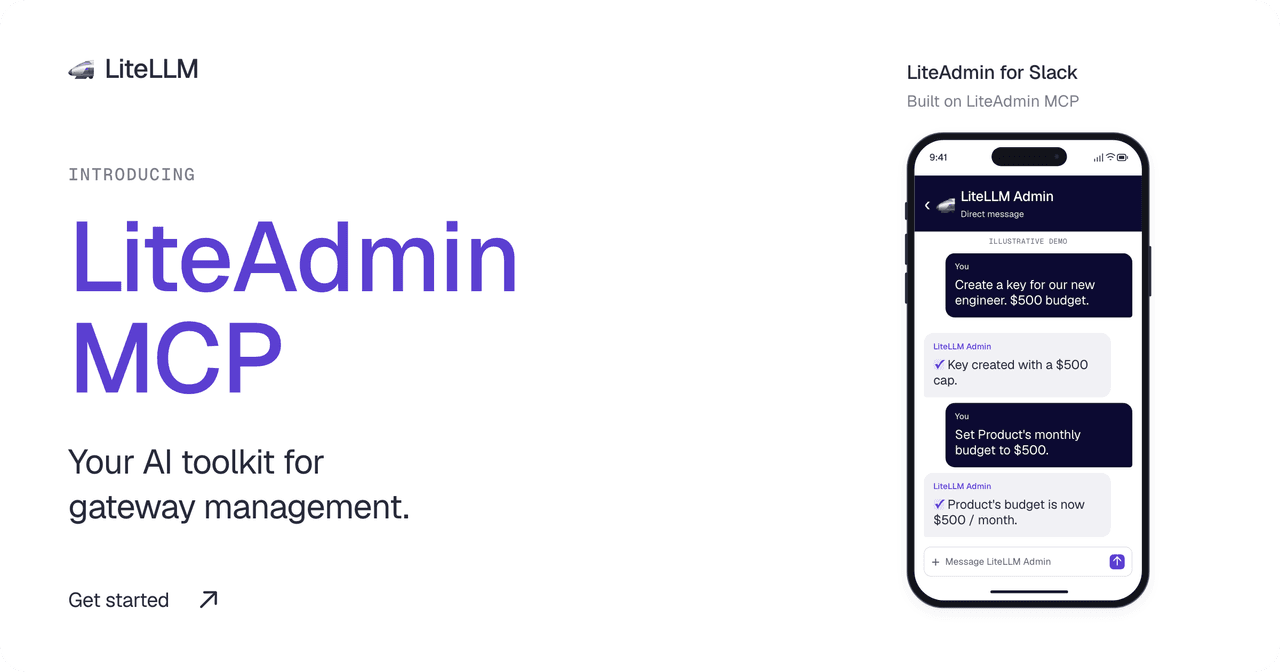
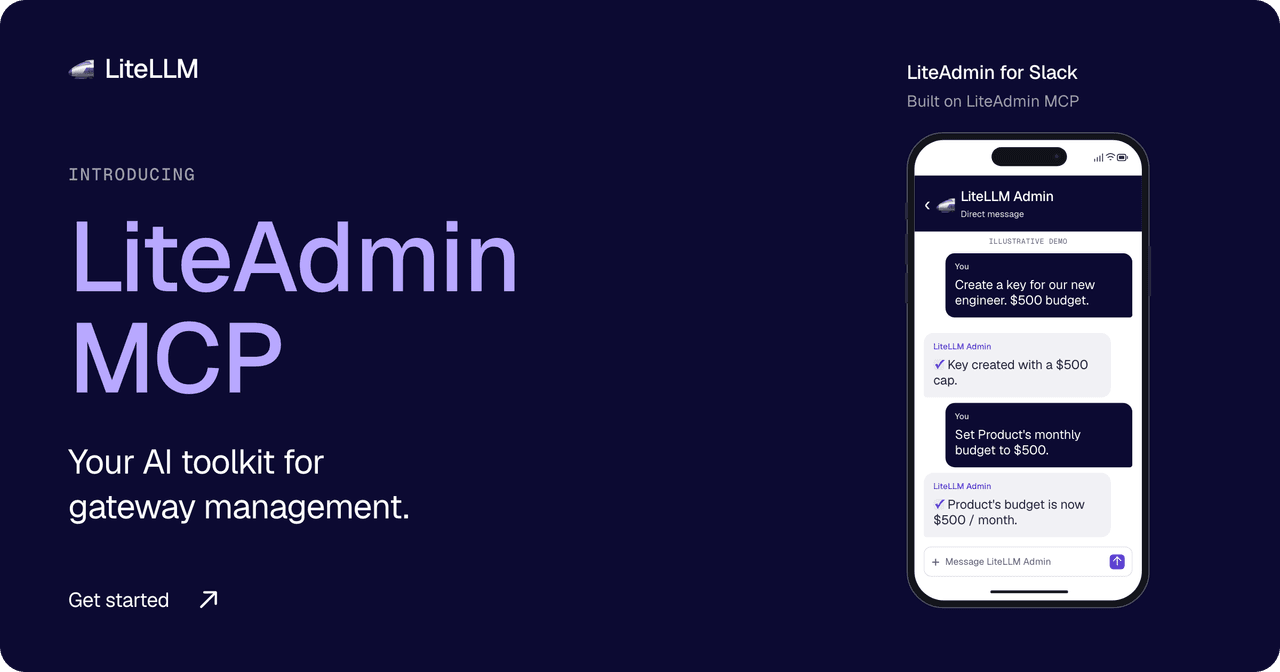
Introducing LiteAdmin MCP: your AI toolkit for gateway management. LiteAdmin for Slack is built on LiteAdmin MCP.Introducing LiteAdmin MCP: your AI toolkit for gateway management. LiteAdmin for Slack is built on LiteAdmin MCP.

An engineer asks for an API key for a new project. You need to choose its models, set a budget, and assign it to a team. As usage grows, you need to check spending and adjust those limits.

LiteAdmin MCP lets your agent handle these tasks through your gateway's management API. Connect it to an MCP client or a custom agent. We built LiteAdmin, our Slack admin agent, on the same connector.

Claude Code server-side auto mode through LiteLLM

LiteLLM Team
LiteLLM Core Team

Last Updated: October 9, 2026

Anthropic is moving Claude Code auto mode's safety classifier from the client to the Claude API. Starting with Claude Code v2.1.278, released September 19, sessions on Enterprise plans and Claude API accounts ask the server to run those checks as part of their own model requests, and Anthropic does not charge for the checks when the server performs them. Anthropic told us the rollout started on September 18 and is gradual, beginning with the Claude Code CLI and VS Code extension and followed by the desktop app and Claude Code on the web over the following week, and that on September 25 auto mode becomes the default permission mode in Claude Code. Today the built-in default is auto on Pro, Max and Team plans and Manual on Enterprise plans and Claude API keys, the accounts that typically sit behind a gateway, per Anthropic's permission modes reference.

Server-side auto mode depends on a contract between Claude Code and the API that some gateways did not preserve, LiteLLM included. The fix first shipped in the dev release cut on Tuesday, September 22, and is now in the v1.104.0 stable release and in patch releases of earlier lines. This post explains what Claude Code needs from an AI Gateway, what LiteLLM was doing wrong, what changed, which release carries it, and how to confirm your deployment is ready.

JEV Classifier: 5.43x as Fast as Haiku, 96% Lower Cost

Moe Khalil
AI Product Engineer, LiteLLM

Last Updated: September 18, 2026

An Auto Router pays for classification before the selected model can answer. In our benchmark, TypeSafe JEV classified requests 5.43x as fast as Haiku, comparing median classifier latency: 126.81 ms versus 688.40 ms. Registry-priced classifier cost was 96.12% lower, rounded to 96% in the title

JEV matched our benchmark's expected tiers on 95.00% of calls, versus 73.75% for Haiku. That result depends on the prompts, tier definitions, instructions and context used here. The expected tiers were authored with the synthetic prompts, without independent review. This comparison does not establish general classification accuracy or the quality of the final answers

Benchmarking the LiteLLM Rust AI Gateway: Overhead, Memory, and Cost

Ishaan Jaffer
CTO, LiteLLM

Last Updated: July 2026

We are launching an early beta of the LiteLLM AI Gateway in Rust, and we built AIGatewayBench to measure it against Portkey, Bifrost, and the current LiteLLM Python proxy. Across all four, the LiteLLM Rust gateway has the lowest p99 added latency and the smallest memory footprint by a wide margin: roughly 7x lower overhead and 9x less memory than the next-closest gateway (Bifrost), the lowest cost footprint, and the fastest whole-session times for coding agents. It holds its own on raw sustained throughput and pulls decisively ahead on overhead, memory, and cost.

Migrating LiteLLM to Rust - Building the Fastest and Litest AI Gateway

Ishaan Jaffer
CTO, LiteLLM

Last Updated: June 2026

Over the past year, we have heard the same thing from our users and our community: they want the fastest, most lightweight AI gateway they can run. We have heard you. We are addressing it by moving LiteLLM to Rust, and committing to sub-1ms overhead with a sub-100MB memory binary you can deploy. By the end of this migration, you will get a pure Rust server that can serve 100% of your AI traffic, with every hot path operation, including auth and rate limiting, running in Rust.

Want to help us build it?

We are opening an early beta and want to work directly with teams who care about a fast, lightweight gateway. If that is you, sign up here and we will get you testing the Rust gateway in your own stack, with a direct line to our team.

The reason it matters: under real load, CPU and memory climb with concurrency, and pods get OOM-killed at the worst time. Today the LiteLLM Python proxy peaks around 359MB of memory under load, and that cost multiplies across every pod, region, and retry you run.

We are already seeing the payoff in benchmarks. The Rust gateway serves about 15x the throughput (453 to 6,782 requests per second) on about 11x less memory (359MB to 32MB), and cuts per-request overhead from about 7.5ms on the Python path to about 0.05ms, well under the 1ms we commit to.

What you get​

You deploy a single Rust binary. It uses about 65MB of memory, gateway overhead stays under 1ms, and nothing in your setup changes: same config.yaml, same database, same client API, same providers. You keep LiteLLM's coverage of 100+ LLM providers behind one OpenAI-compatible API, with /chat/completions, /messages, /responses, and every other LLM endpoint LiteLLM supports today, now as the fastest and most lightweight LLM gateway you can self-host.

This is not a v2 and not a rewrite. There is no new major version to migrate to and nothing for you to change. The runtime under the hot path gets faster and lighter while your config stays exactly where it is.

We ship this the careful way. Each route moves to Rust only after it passes our full parity and end-to-end test suite, and it runs in production before the next route starts. Stability is the priority, and we target zero regressions on every release.

LiteLLM Labs: Announcing Lite-Harness SDK — Unified API for Claude Code, Codex, and Pi AI

Krrish Dholakia
CEO, LiteLLM
Ishaan Jaffer
CTO, LiteLLM

Harnesses are the next frontier of vendor lock-in. LiteLLM was built to swap across model providers easily. However, as the models get saturated, the next area for competition becomes the harnesses and managed agents. To make it easy to go across vendors at the harness layer, we're launching the Lite-Harness SDK. This is a simple TypeScript+Python SDK which allows developers to change harnesses, like they change models.

How we built a background agent to cover 30% of our backlog

Krrish Dholakia
CEO, LiteLLM
Ishaan Jaffer
CTO, LiteLLM
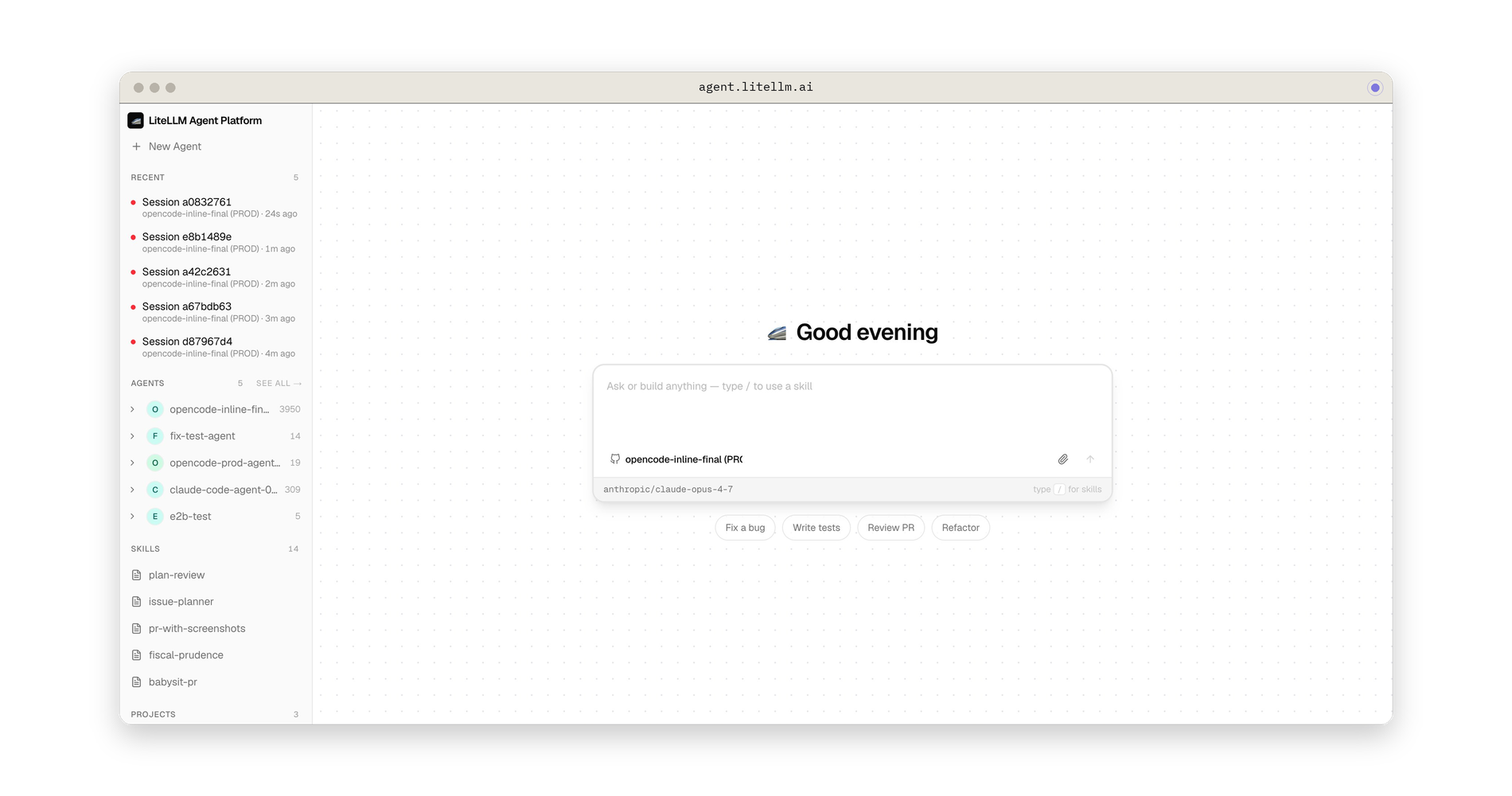
LiteLLM Agent Platform: agent.litellm.ai
info

The platform we built is open source. Check out litellm-agent-platform. The swappable harness layer is lite-harness.

Building the same thing inside your company?

Our goal was to 10x the productivity of our company with agents.

Three weeks ago we began building an agent that could own 30% of our engineering tickets. Here's what we've learnt so far.

Announcing Componentized Deployments

Yassin Kortam
Senior SWE @ LiteLLM

Last Updated: May 2026

The LiteLLM proxy container does 2 very different things. It's an LLM data plane, /chat/completions, /v1/messages, embeddings, passthroughs, where latency is measured in single-digit milliseconds of overhead and traffic is high-volume and bursty. It's also a management control plane for keys, teams, SSO, audit logs, and the spend/usage analytics that power the dashboard, where a single request can scan millions of rows.

Run both on the same event loop, and the slowest thing the control plane does sets the reliability floor for the fastest thing the data plane does. This post is about how we've improved LiteLLM's reliability at scale by offering a componentized deployment model.

Making the AI Gateway Resilient to Redis Failures

Ishaan Jaffer
CTO, LiteLLM

Last Updated: April 2026

Enterprise AI Gateway deployments put Redis in the hot path for nearly every request: rate limiting, cache lookups, spend tracking. When Redis is healthy, the latency contribution is single-digit milliseconds, invisible to end users. When it degrades, a production AI Gateway needs to stay up regardless.

Running LiteLLM at scale across 100+ pods means designing for failure modes before they appear. The easy case is Redis going fully down: fail fast, fall through to the database, continue serving requests. The hard case, the one that takes down gateways, is a slow Redis: still accepting connections, still responding, but timing out after 20-30 seconds per operation.