Lens CLI
Evaluate models, harnesses, and custom agents on your own tasks.
▍ Results 12 / 12 rows
| # | Harness | Model | Pass | Fail | Err | Est. cost | $/pass | P50 |
|---|---|---|---|---|---|---|---|---|
| ✻ Claude Agent SDK | ◎ gpt-5.4-mini | 100.0% | 0 | 0 | $0.0249 | $0.0010 | 1.7s | |
| ◎ OpenAI Agents | ◎ gpt-5.5 | 100.0% | 0 | 0 | $0.0687 | $0.0029 | 2.3s | |
| ✻ Claude Agent SDK | ◎ gpt-5.5 | 100.0% | 0 | 0 | $0.1260 | $0.0053 | 2.8s | |
| ⬡ Deep Agents | ◎ gpt-5.5 | 100.0% | 0 | 0 | $0.3795 | $0.0158 | 2.4s | |
| ⬡ Deep Agents | ◎ gpt-5.4-mini | 95.8% | 1 | 0 | $0.0715 | $0.0031 | 1.5s | |
| ✻ Claude Agent SDK | ✻ claude-sonnet-5-5 | 95.8% | 1 | 0 | $0.0765 | $0.0033 | 1.8s | |
| ⬡ Deep Agents | ✻ claude-sonnet-5-5 | 95.8% | 1 | 0 | $0.2750 | $0.0120 | 1.5s | |
| ◎ OpenAI Agents | ◎ gpt-5.4-mini | 91.7% | 2 | 0 | $0.0088 | $0.0004 | 1.4s | |
| ◎ OpenAI Agents | ✻ claude-opus-5-5 | 91.7% | 2 | 0 | $0.1035 | $0.0047 | 1.4s | |
| ⬡ Deep Agents | ✻ claude-opus-5-5 | 91.7% | 2 | 0 | $0.5531 | $0.0251 | 1.4s | |
| ◎ OpenAI Agents | ✻ claude-sonnet-5-5 | 83.3% | 4 | 0 | $0.0517 | $0.0026 | 1.9s | |
| ✻ Claude Agent SDK | ✻ claude-opus-5-5 | 50.0% | 12 | 0 | $0.1778 | $0.0148 | 2.1s |
▍ Cost vs quality
Select a row or point to inspect the configuration.
Before, you had to write the eval loop, create temporary workspaces and collect the results in a spreadsheet. Then you changed the model or harness and repeated the work.
Which model and harness should you use for a given task? Lens CLI lets you run the same tasks through your agents and compare the results in one terminal report.
This is for developers building agents who want to evaluate models, harnesses, and their own agent code on the work their users need done.
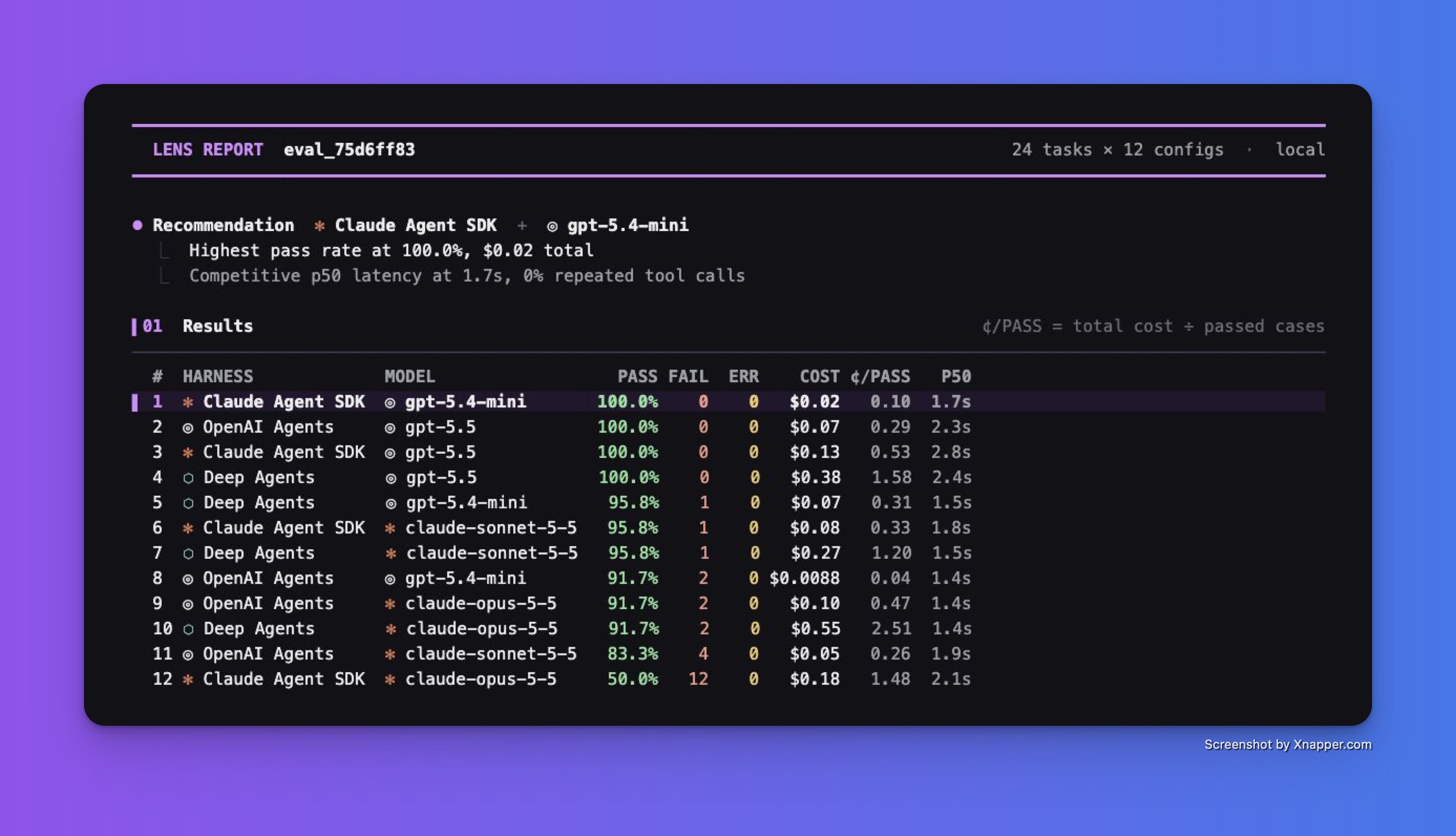
A real saved run: 24 synthetic legal-QA tasks, three harnesses, four models. CLI output framed in Xnapper; model costs are estimates from token usage.
Choose your agents and tasks
Choose representative tasks and what counts as a correct result. Compare built-in harnesses, such as a tool loop or Codex, alongside your own agent code. Keep the same tasks and grading across configurations.
The walkthrough supplies a complete configuration that connects your agents and records their answers, costs, and tool calls.
Already have datasets on your gateway? Open Lens > Datasets, select a dataset revision, and click Export JSONL. The walkthrough converts that snapshot into the CLI's task format while preserving the conversation and expected answers.
Run the CLI
With the preview CLI installed and the walkthrough's files in your project directory, run:
lens run tasks.csv --config evals.py --trials 2
The CLI runs the task set against your configurations. Watch the progress, then read the completed report. For an exported gateway dataset, use the walkthrough's converted file:
lens run gateway-tasks.csv --config evals.py --trials 2
Read the report and choose your next change
Start with the recommendation and results table. Compare pass rate and cost, then use the Cost vs quality chart to see the tradeoff across your model and harness choices.
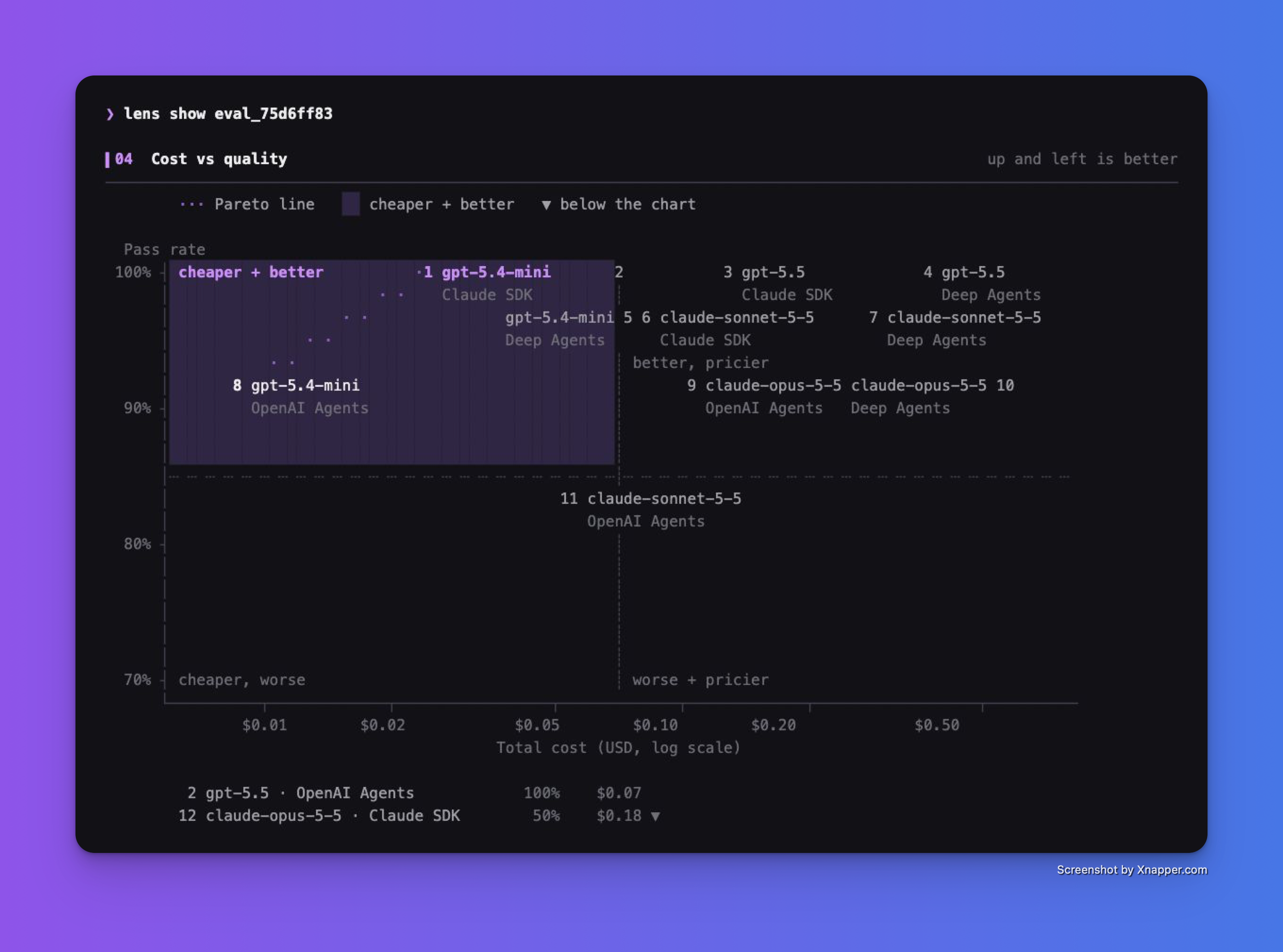
Read up and left for configurations that pass more cases at lower estimated cost.
In this run, Claude Agent SDK with gpt-5.4-mini passed all 24 cases. The same model passed 22 through OpenAI Agents and 23 through Deep Agents. The result depends on these tasks and their grader, so evaluate your own workload before choosing a default.
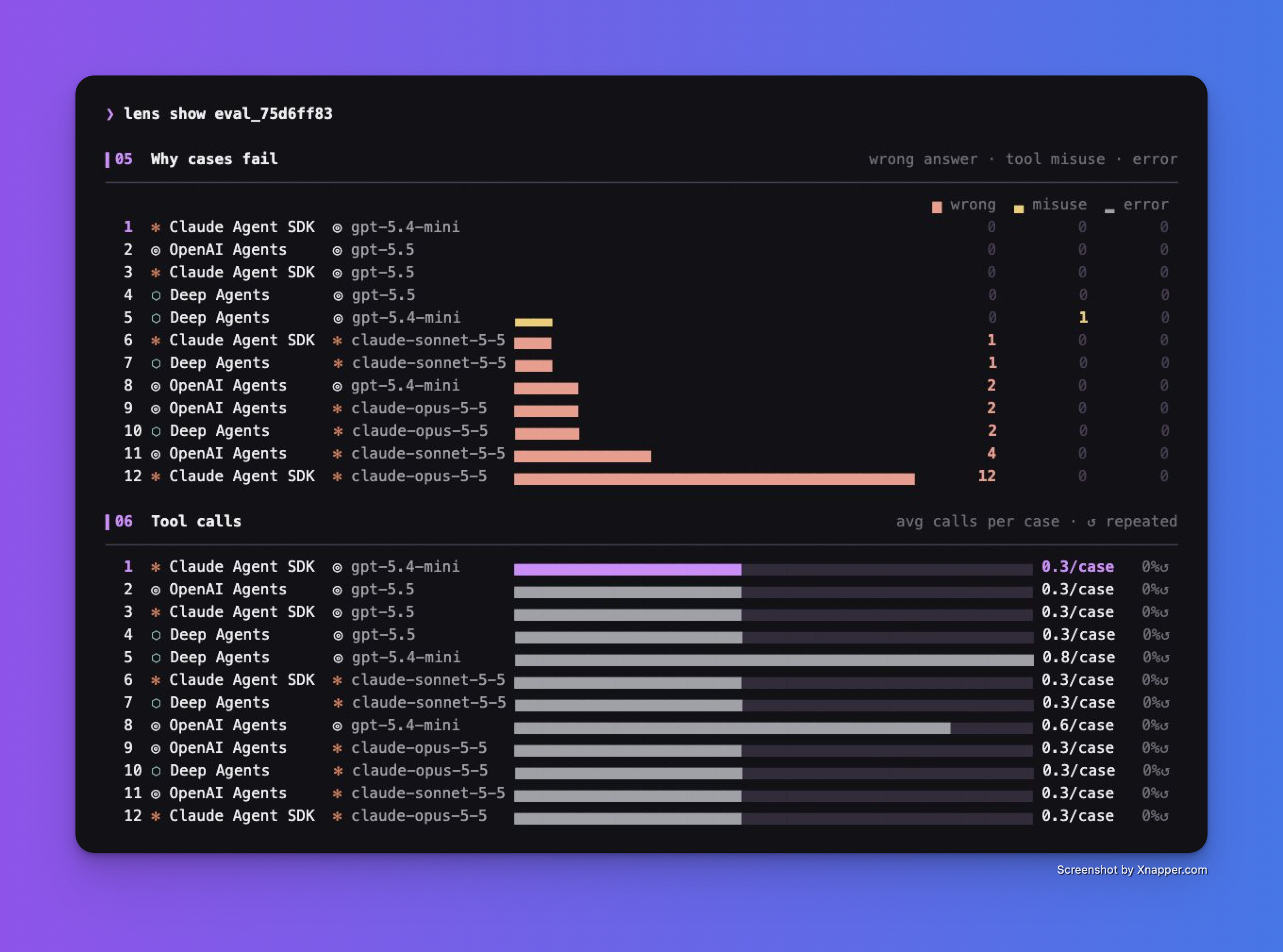
Inspect wrong answers, tool misuse, and errors before deciding what to change.
Use the failures to choose your next change, then run the same cases again.
Run through your Lens-enabled gateway, then open Lens > Traces to inspect captured model calls. Instrument your agent to include tool steps.
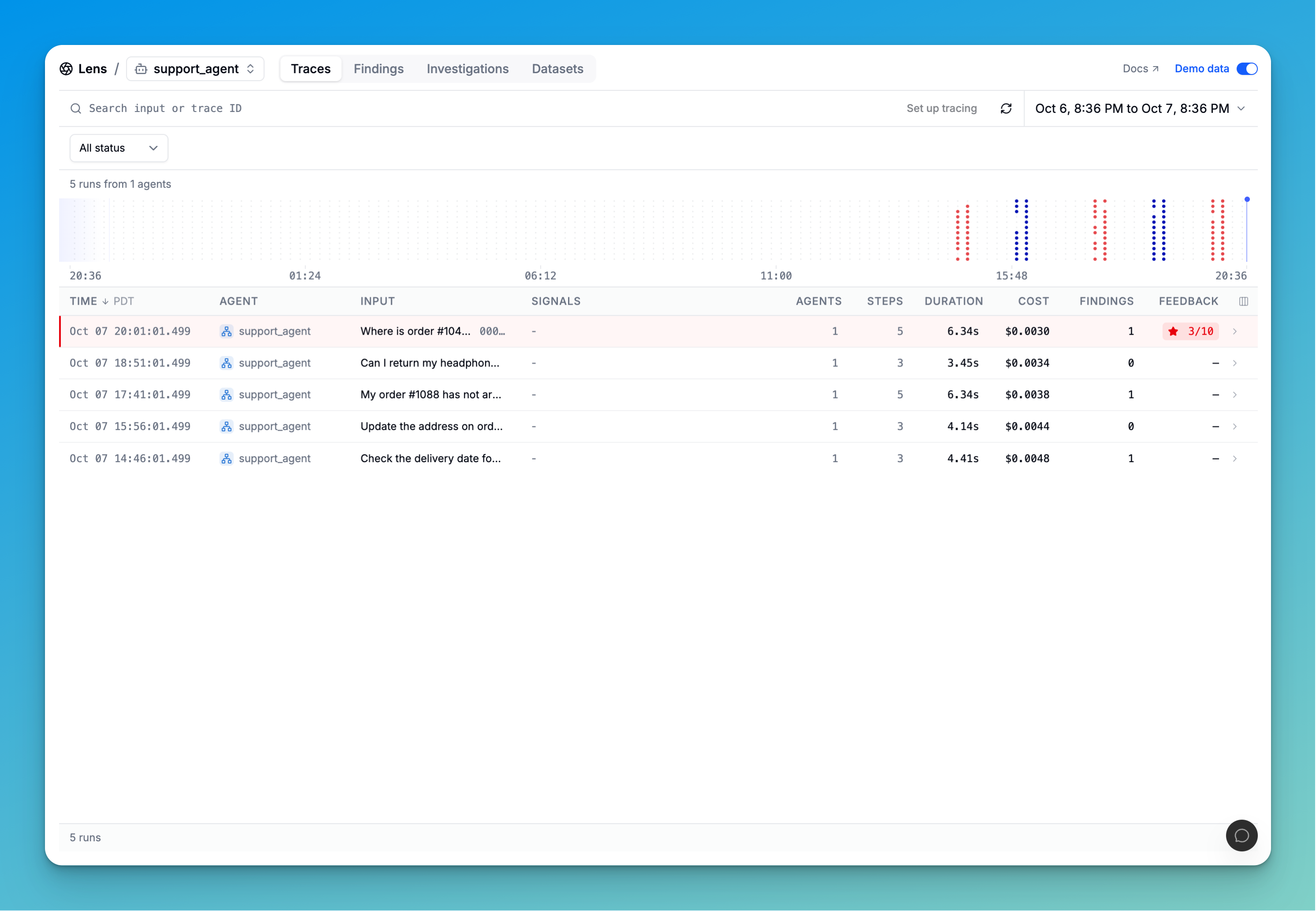
Lens UI shown with sample data, separate from the CLI run above.