UI - Router Settings for Keys and Teams
Configure router settings at the key and team level to achieve granular control over routing behavior, fallbacks, retries, and other router configurations. This enables you to customize routing behavior for specific keys or teams without affecting global settings.
Overview
Router Settings for Keys and Teams allows you to configure router behavior at different levels of granularity. Previously, router settings could only be configured globally, applying the same routing strategy, fallbacks, timeouts, and retry policies to all requests across your entire proxy instance.
With key-level and team-level router settings, you can now:
- Customize routing strategies per key or team (e.g., use
least-busyfor high-priority keys,latency-based-routingfor others) - Configure different fallback chains for different keys or teams
- Set key-specific or team-specific timeouts and retry policies
- Apply different reliability settings (cooldowns, allowed failures) per key or team
- Override global settings when needed for specific use cases
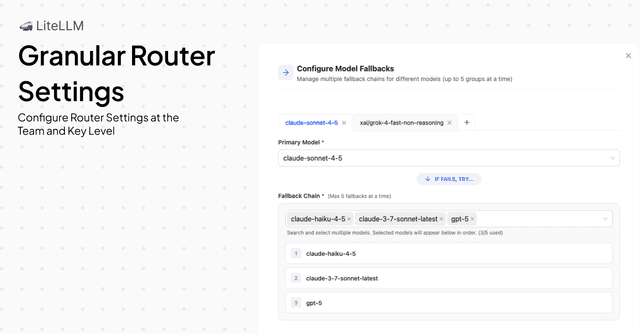
Summary
Router settings follow a hierarchical resolution order: Keys > Teams > Global. When a request is made:
- Key-level settings are checked first. If router settings are configured for the API key being used, those settings are applied.
- Team-level settings are checked next. If the key belongs to a team and that team has router settings configured, those settings are used (unless key-level settings exist).
- Global settings are used as the final fallback. If neither key nor team settings are found, the global router settings from your proxy configuration are applied.
This hierarchical approach ensures that the most specific settings take precedence, allowing you to fine-tune routing behavior for individual keys or teams while maintaining sensible defaults at the global level.
How Router Settings Resolution Works
Router settings are resolved in the following priority order:
Resolution Order: Key > Team > Global
-
Key-level router settings (highest priority)
- Applied when router settings are configured directly on an API key
- Takes precedence over all other settings
- Useful for individual key customization
-
Team-level router settings (medium priority)
- Applied when the API key belongs to a team with router settings configured
- Only used if no key-level settings exist
- Useful for applying consistent settings across multiple keys in a team
-
Global router settings (lowest priority)
- Applied from your proxy configuration file or database
- Used as the default when no key or team settings are found
- Previously, this was the only option available
How to Configure Router Settings
Configuring Router Settings for Keys
Follow these steps to configure router settings for an API key:
- Navigate to http://localhost:4000/ui/?login=success
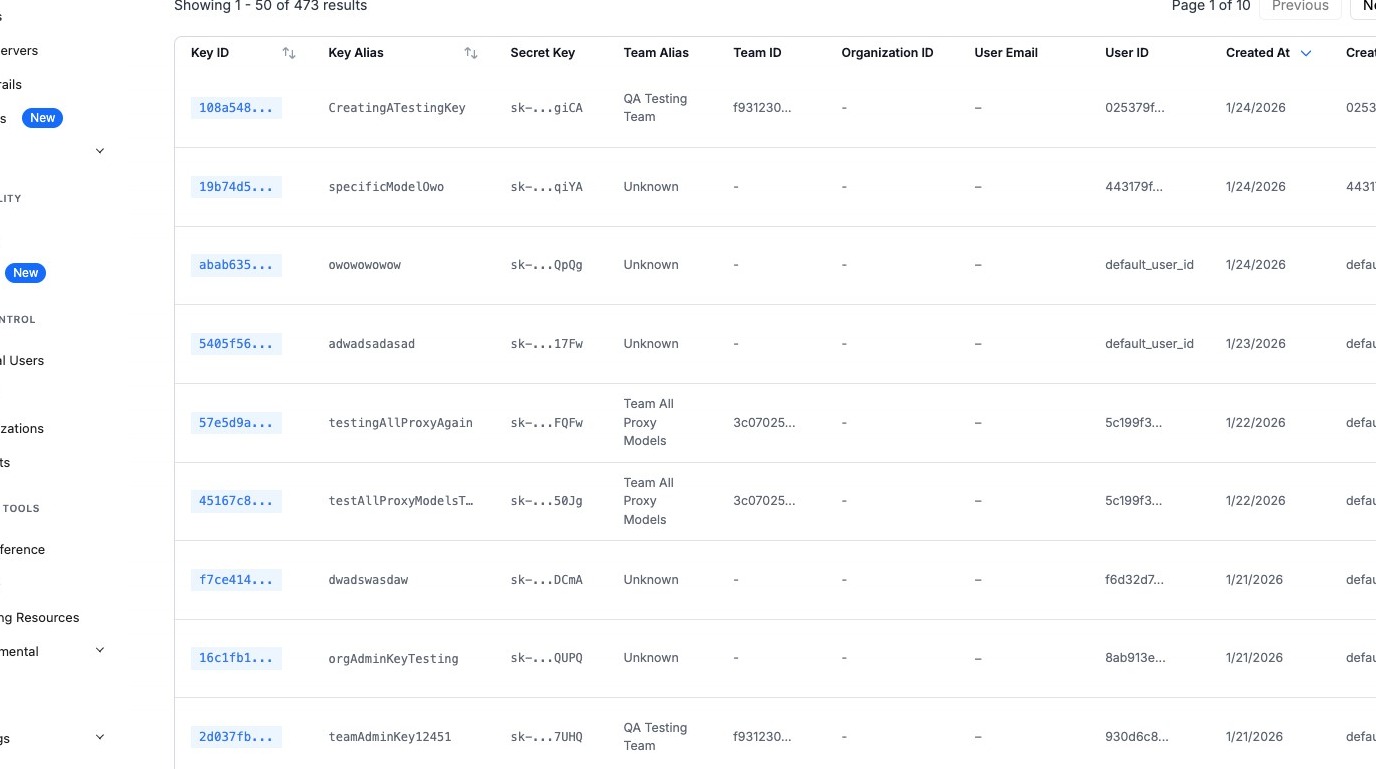
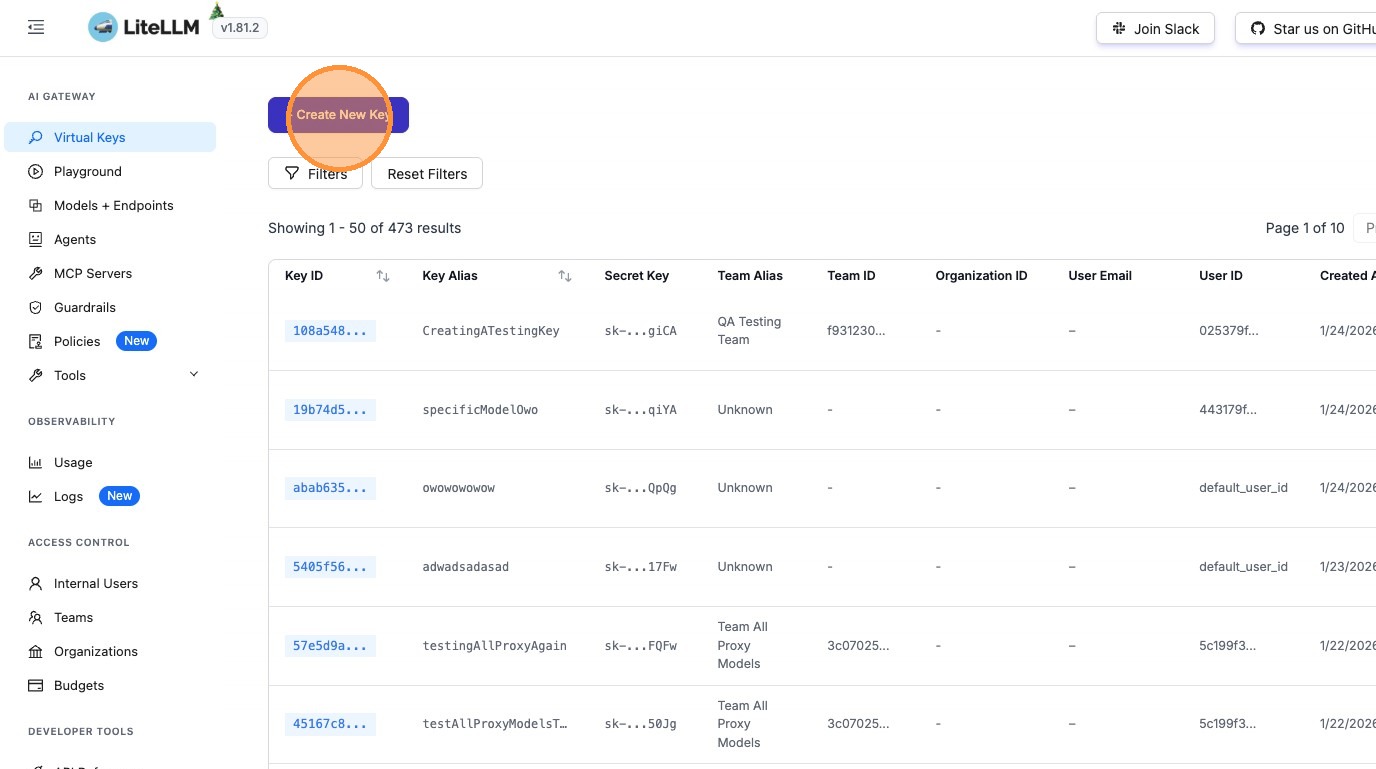
- Click "+ Create New Key" (or edit an existing key)
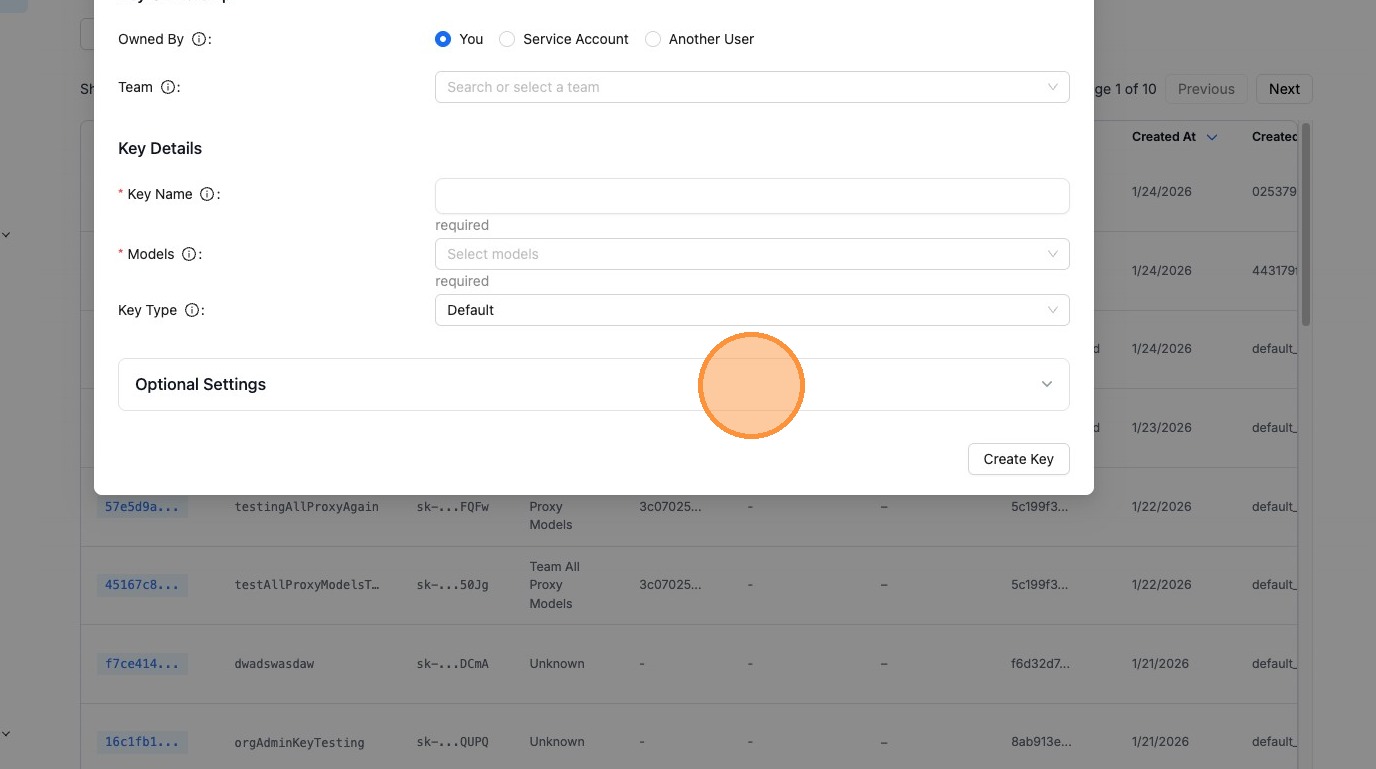
- Click "Optional Settings"
- Click "Router Settings"
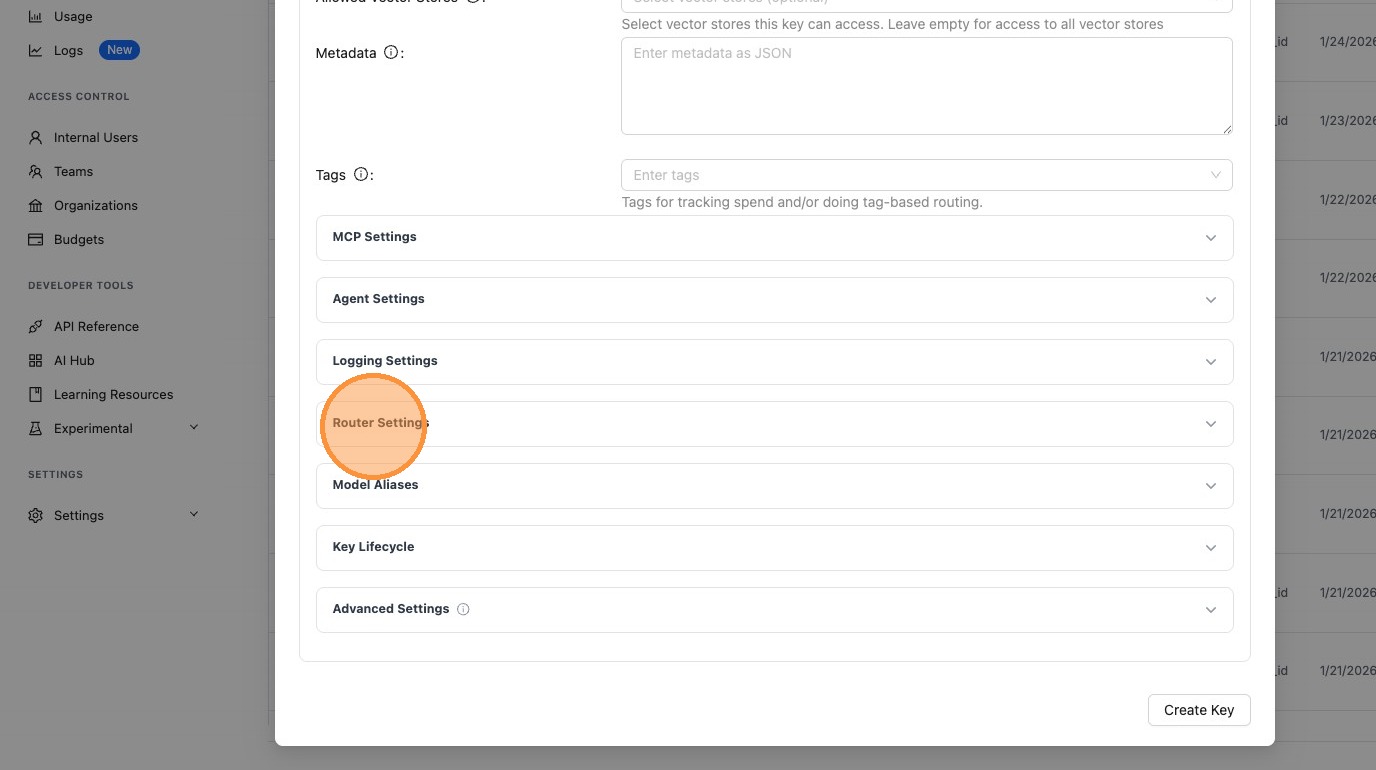
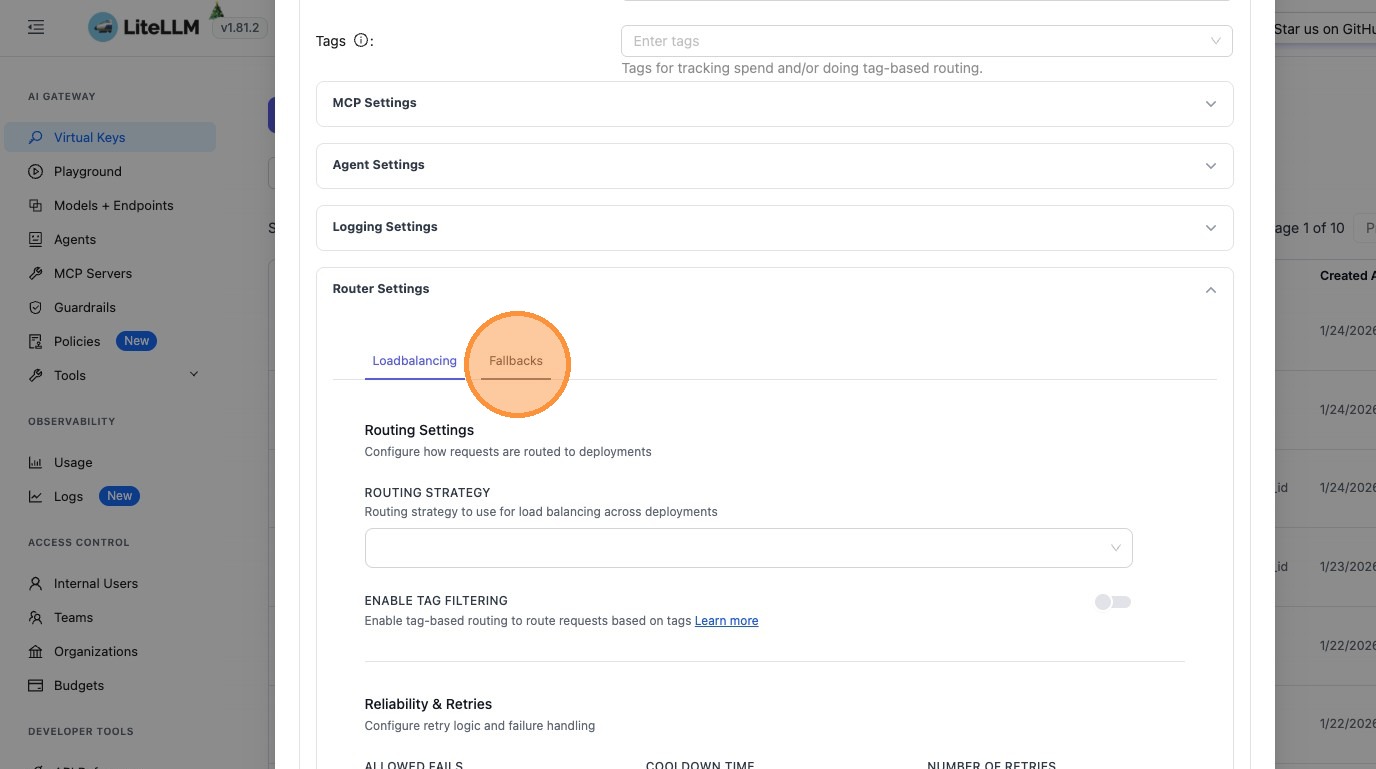
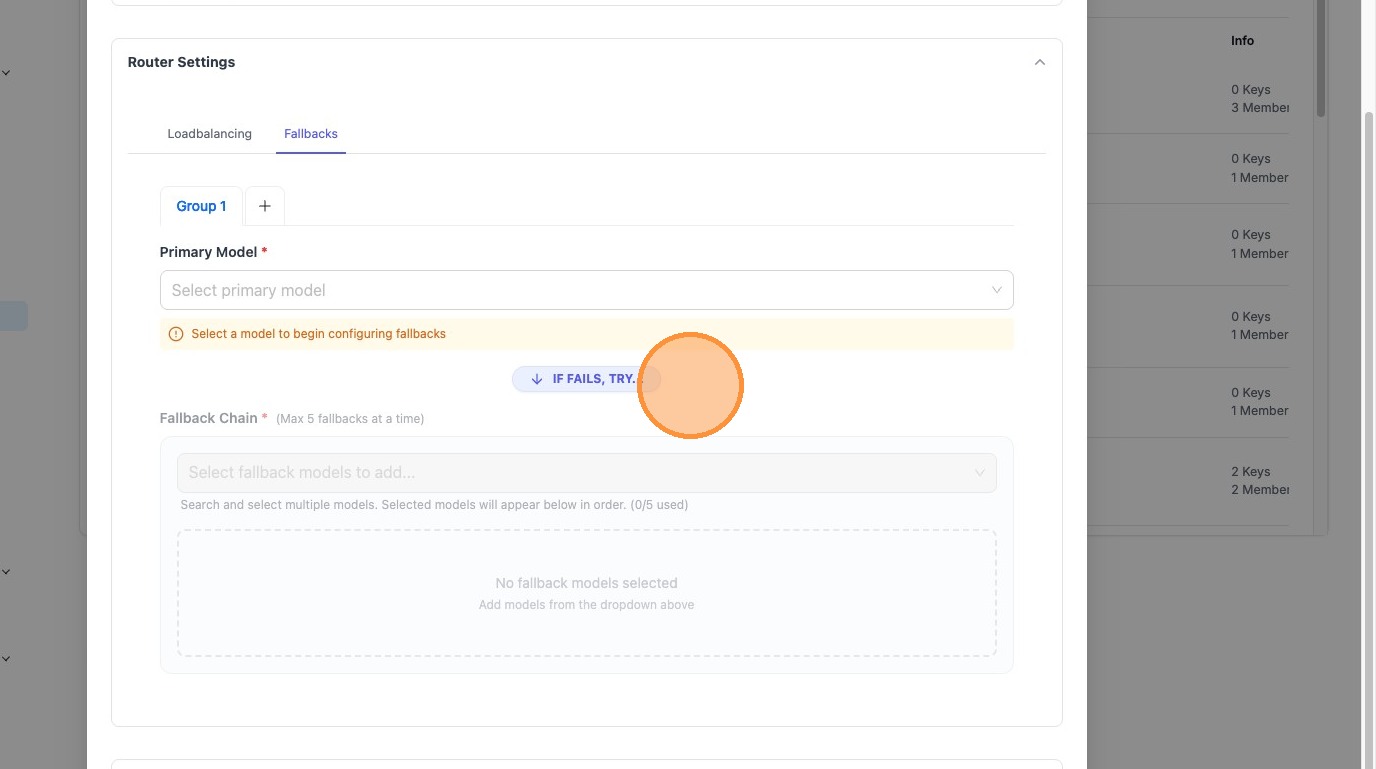
- Configure your desired router settings. For example, click "Fallbacks" to configure fallback models:
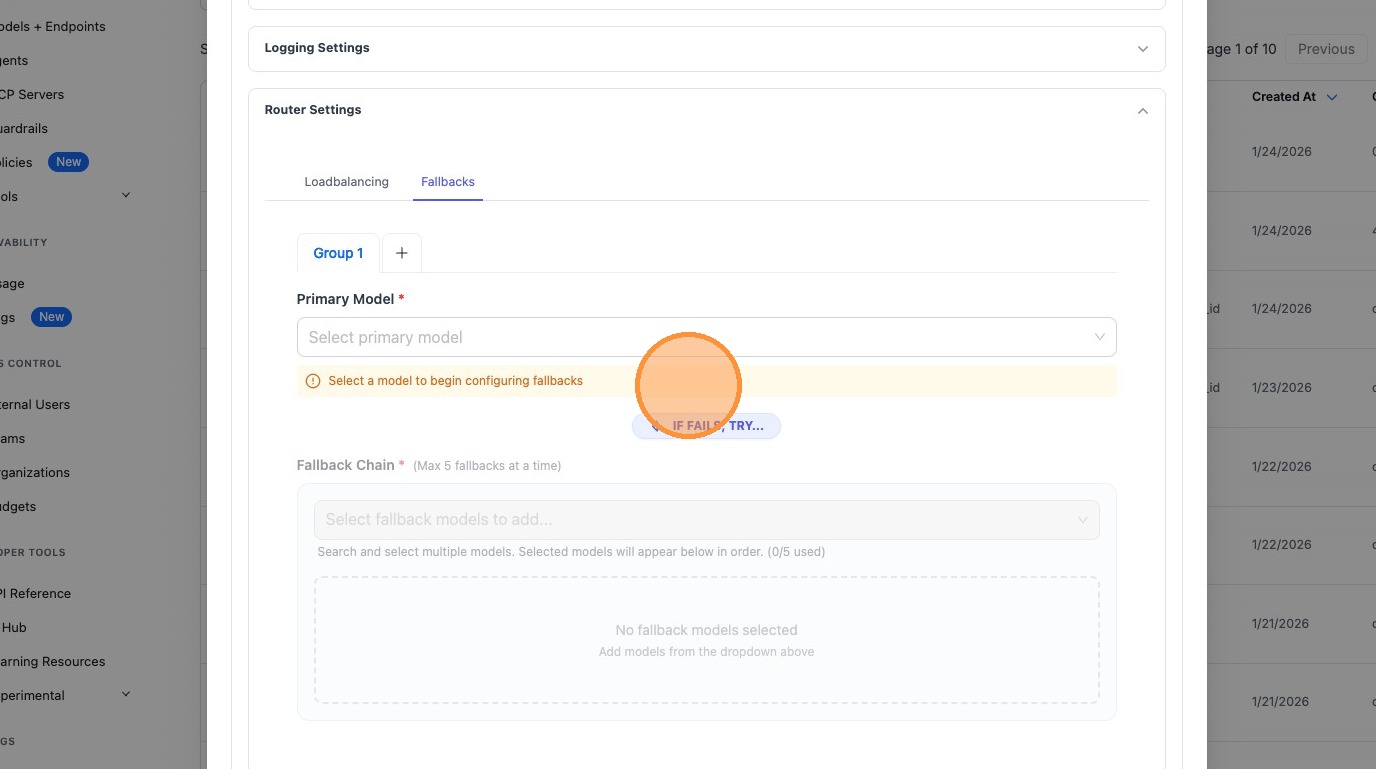
- Click "Select a model to begin configuring fallbacks" and configure your fallback chain:
Configuring Router Settings for Teams
Follow these steps to configure router settings for a team:
- Navigate to http://localhost:4000/ui/?login=success
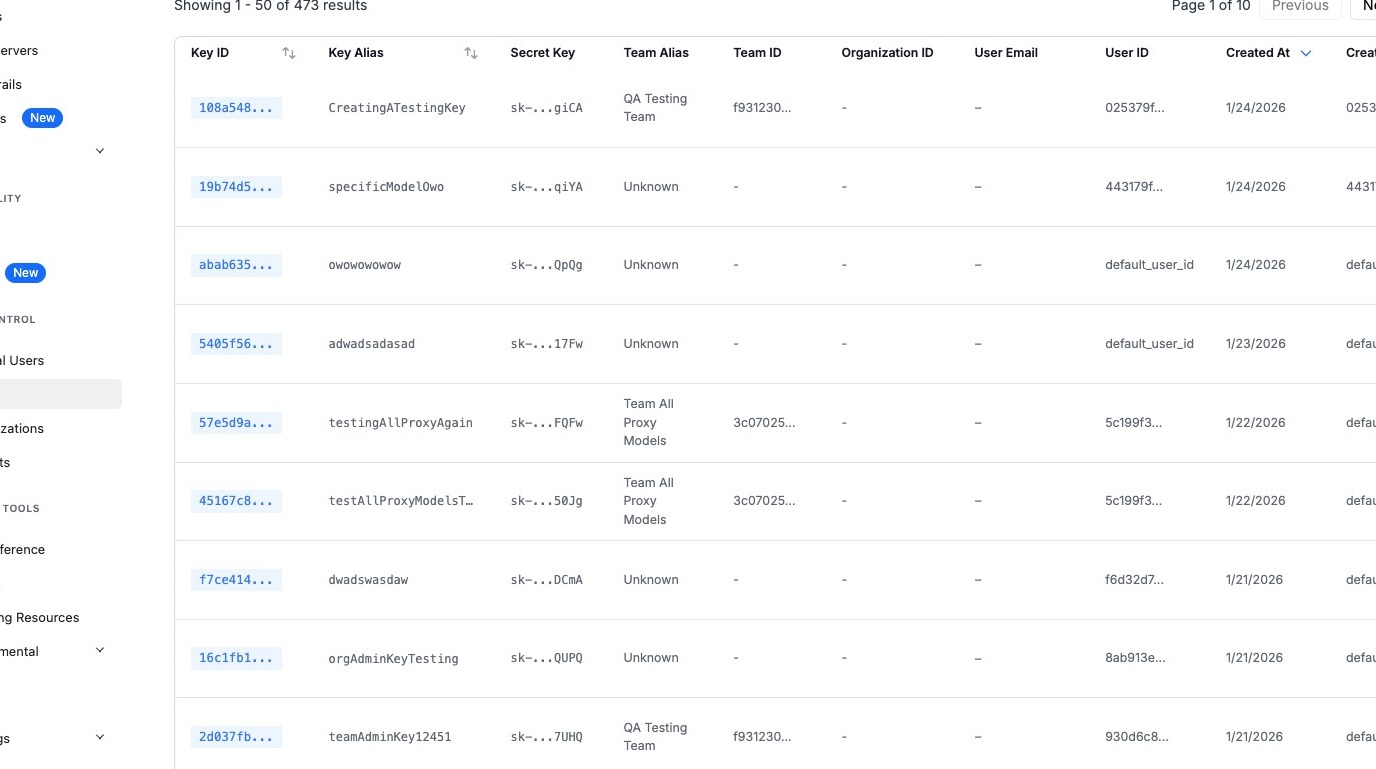
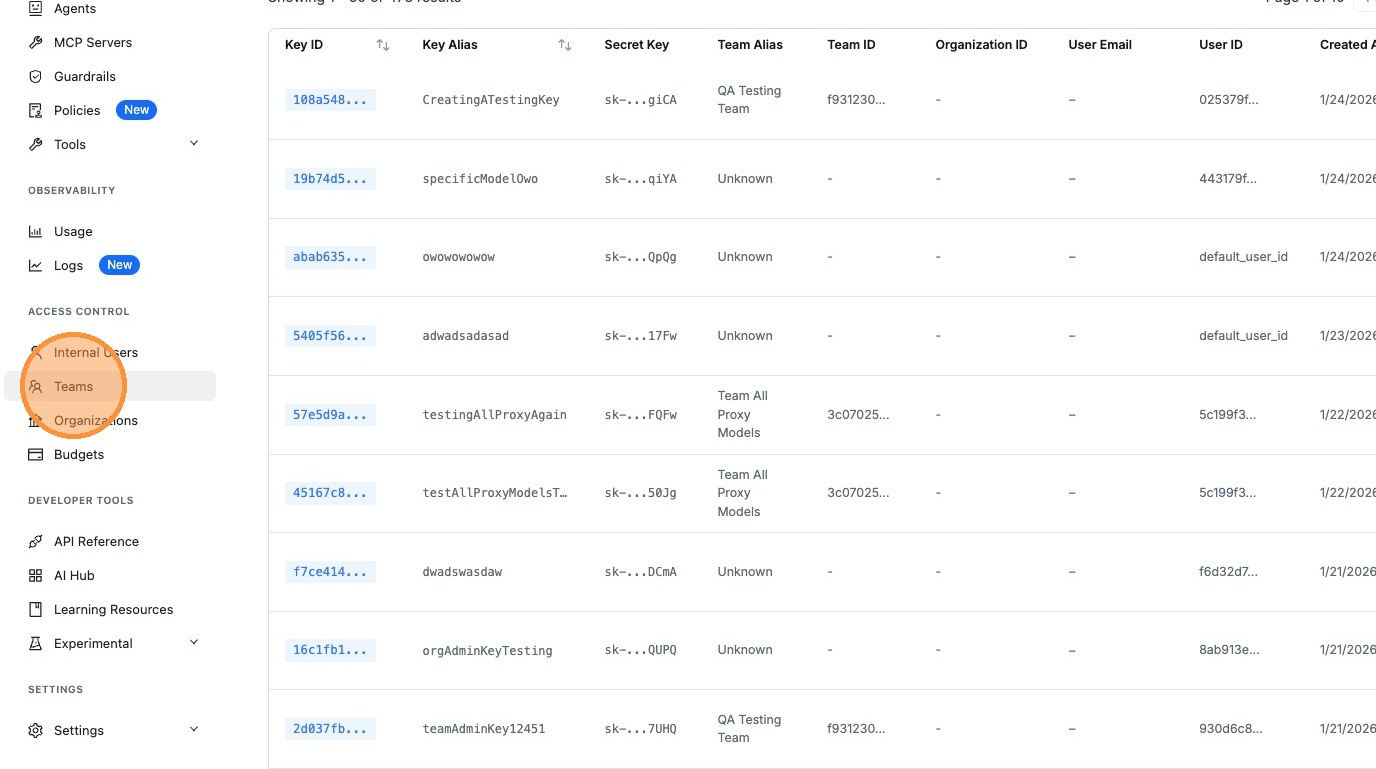
- Click "Teams"
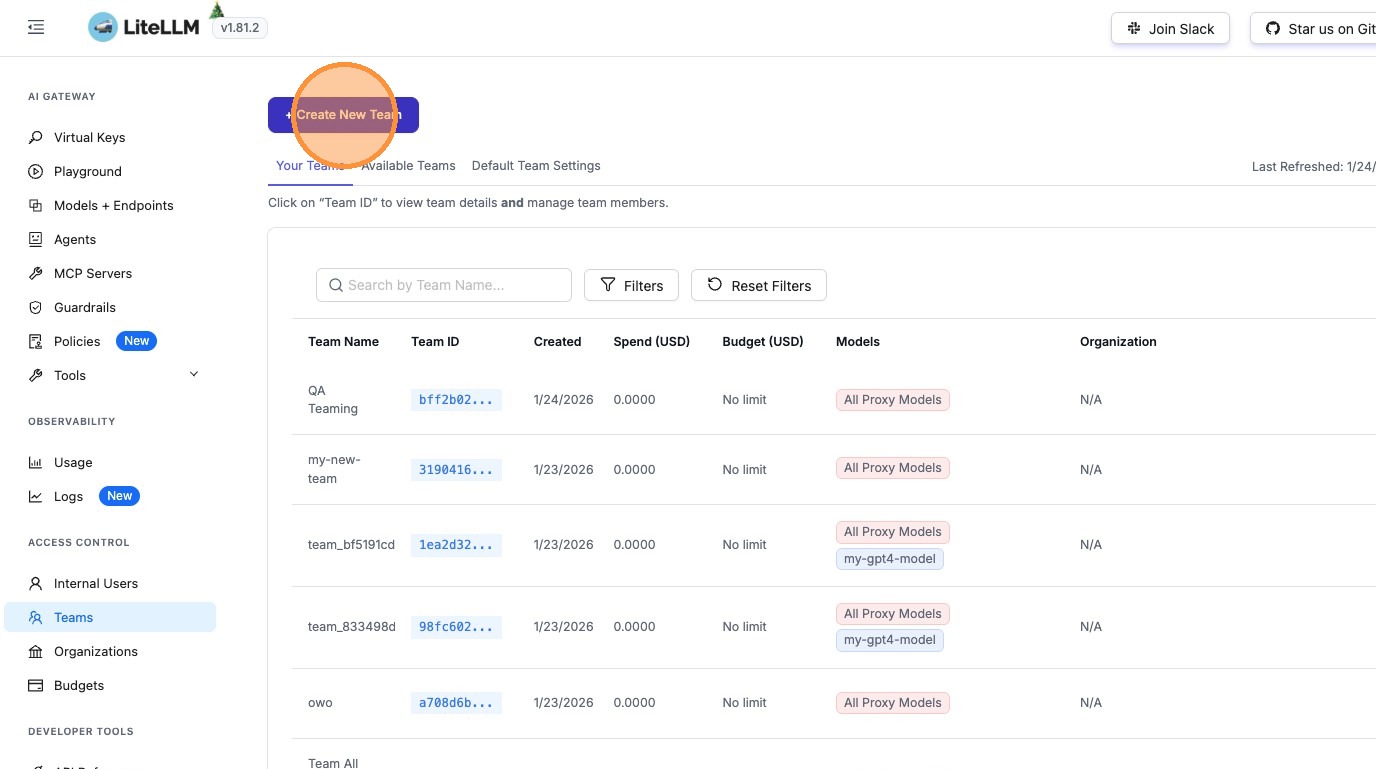
- Click "+ Create New Team" (or edit an existing team)
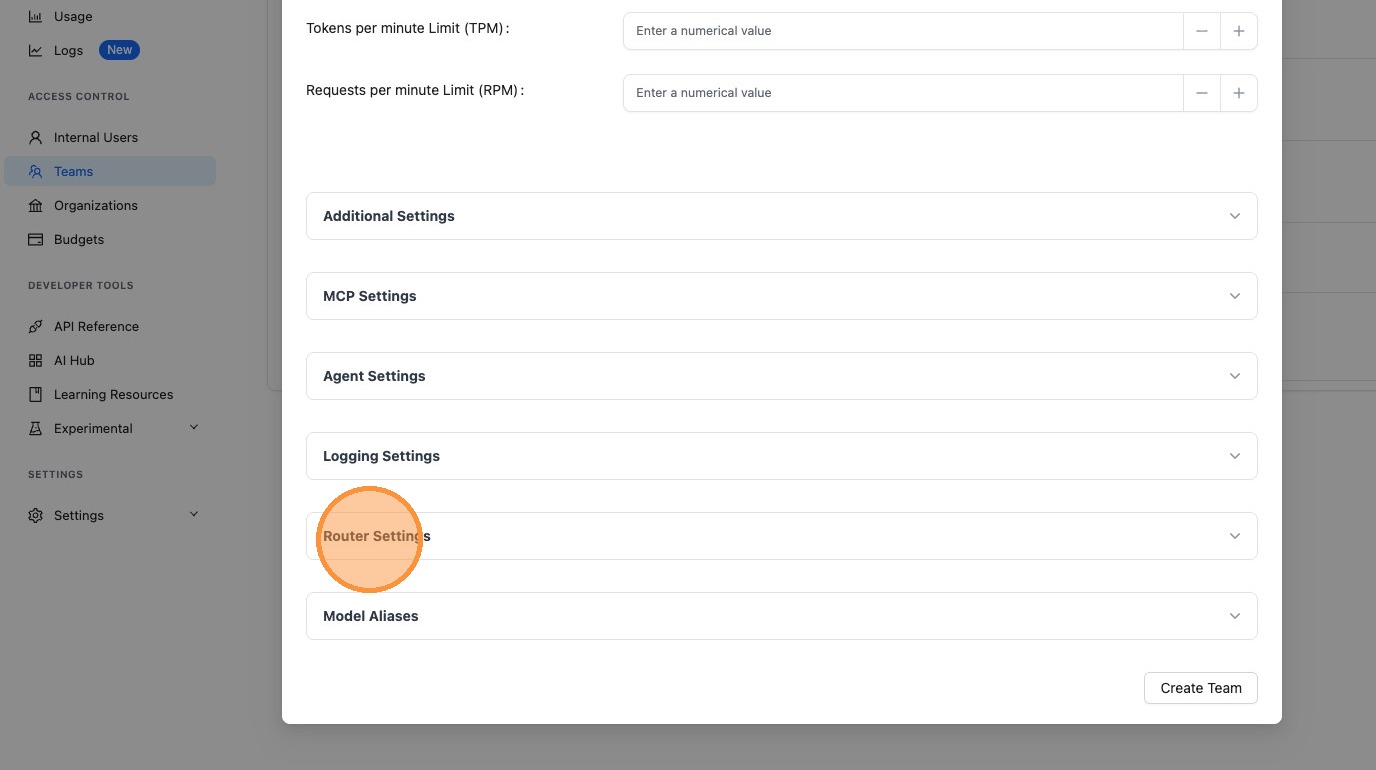
- Click "Router Settings"
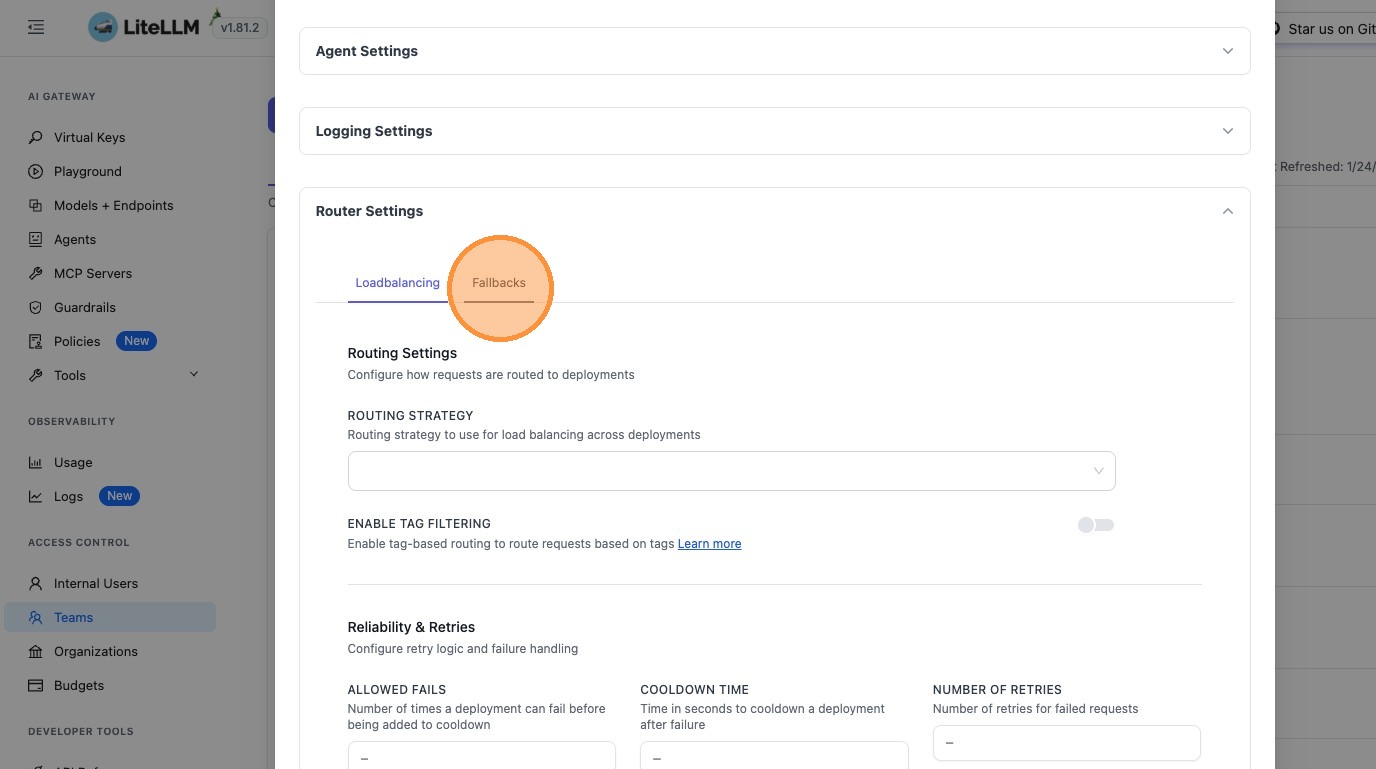
- Configure your desired router settings. For example, click "Fallbacks" to configure fallback models:
- Click "Select a model to begin configuring fallbacks" and configure your fallback chain:
Use Cases
Different Routing Strategies per Key
Configure different routing strategies for different use cases:
- High-priority production keys: Use
latency-based-routingfor optimal performance - Development keys: Use
simple-shufflefor simplicity - Cost-sensitive keys: Use
cost-based-routingto minimize expenses
Team-Level Consistency
Apply consistent router settings across all keys in a team:
- Set team-wide fallback chains for reliability
- Configure team-specific timeout policies
- Apply uniform retry policies across team members
Override Global Settings
Override global settings for specific scenarios:
- Production keys may need stricter timeout policies than development
- Certain teams may require different fallback models
- Individual keys may need custom retry policies for specific use cases
Gradual Rollout
Test new router settings on specific keys or teams before applying globally:
- Configure new routing strategies on a test key first
- Validate fallback chains on a small team before global rollout
- A/B test different timeout values across different keys
Related Features
- Router Settings Reference - Complete reference of all router settings
- Load Balancing - Learn about routing strategies and load balancing
- Reliability - Configure fallbacks, retries, and error handling
- Keys - Manage API keys and their settings
- Teams - Organize keys into teams

